
Reflection Example
Loading the math board and drawing, please wait…
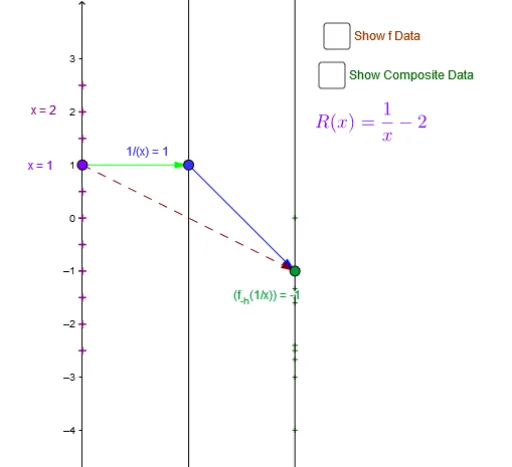
This example demonstrates reflection transformation using GeoGebra. Key mathematical concepts include reflection, vectors, and geometric construction. Users can dynamically observe and understand the process of reflection transformation using commands like Point, Vector, and Segment. Suitable for middle school and above students and teachers.
GeoGebra Commands & Parameters
Point(yAxis) → A_xVector(A_x, B) → uVector(B, C) → vTextfield(f1) → inputBox1Textfield(f2) → inputBox2Vector(C, D) → wTextfield(f3) → inputBox3Textfield(A) → inputBox4_1Segment(Pole, Asym) → iVector(A_{xs}, A_{f(xs)}) → jSegment(P, hfg_x) → mVector(A_x, C) → zSequence(0, num) → NZip(k - num / 4, k, N / 2) → x_*Zip(Vector[P, Q], P, xmd_*, Q, umd_*) → uarr_*Zip(Vector[P, Q], P, umd_*, Q, ymd_*) → yarr_*Zip(Vector[P, Q], P, xmd_*, Q, ymd_*) → xyarr_*Zip((P, Q), P, x_*, Q, y_*) → xyPT_*
AI Drawing Prompt Reference
Draw a point A_x on the y-axis, then draw vector u from A_x to B, and vector v from B to C. Next, input the coordinates of point D and draw vector w from C to D. Use the coordinates of points A and D to draw line i. Draw vector j using the coordinates of points A and D. Draw line m using the coordinates of points A and D. Draw vector z from A_x to C. Finally, based on the input coordinates of point A, generate a series of vectors to form vector sequences uarr_*, yarr_*, and xyarr_*, and draw point sequences xyPT_*.
The prompt above was compiled from the original drawing commands and is for reference only.