
Properties of Isosceles Trapezoid
Loading the math board and drawing, please wait…
This example demonstrates the properties of an isosceles trapezoid, including its definition, midsegment theorem, and area formula. Using GeoGebra commands such as Point, Vector, and Segment, the trapezoid is constructed and geometric constructions are performed. Suitable for middle and high school students to learn geometry and algebra.
GeoGebra Commands & Parameters
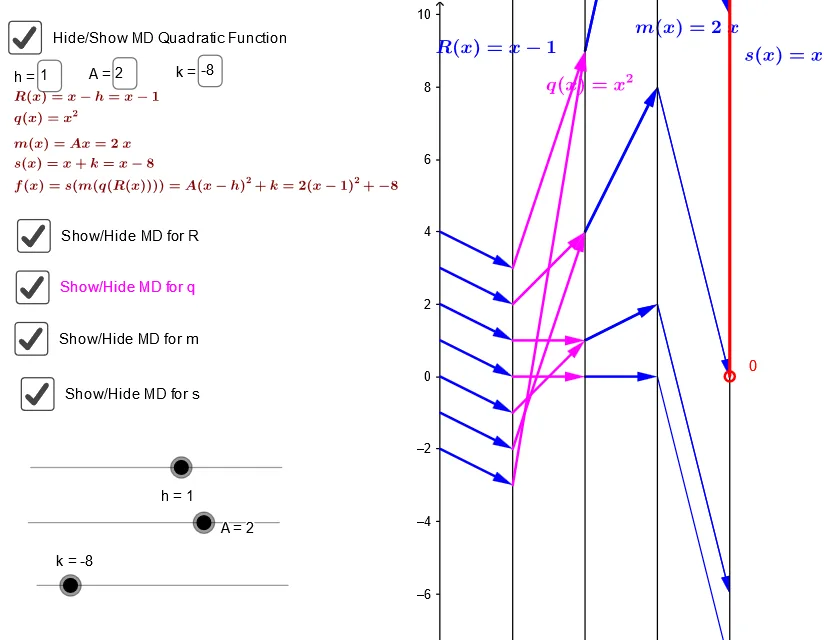
Point(yAxis) → A_xTextfield(m) → inputBox1Textfield(s) → inputBoxfPoint(i) → KVector(K, s_{inv}D) → wVector(s_{inv}D, m_{invSinvD}) → zVector(m_{invSinvD}, q_{inv+}) → dVector(m_{invSinvD}, q_{inv-}) → fVector(q_{inv+}, I) → h_1Vector(q_{inv-}, J) → jTextfield(h) → inputBox2Textfield(b) → inputBox3Textfield(m_*) → inputBox4Textfield(m) → inputBox5Textfield(s) → inputBox6Point(i) → T_1Vector(T_1, S_*) → w_1Vector(S_*, T_*) → u_2Vector(T_*, R_1) → v_2Vector(T_*, R_2) → w_2Vector(R_1, R_#) → a_2Vector(R_2, R_*) → b_2Sequence(h - num, h + num) → NZip(Vector[(0, i), (2, R(i))], i, N) → QuadRvlistZip(Vector[(2, R(i)), (4, q(R(i)))], i, N) → QuadqvlistZip(Vector[(4, q(R(i))), (6, m(q(R(i))))], i, N) → QuadmvlistZip(Vector[(6, m(q(R(i)))), (8, s(m(q(R(i)))))], i, N) → QuadgvlistPoint(i) → ARay(T_1, T_1 + (0, 1)) → gRay(S_*, S_* + (0, 1)) → kRay(T_*, T_* + (0, m_*)) → pRay(R_1, R_1 + (0, 1)) → rRay(R_2, R_2 - (0, 1)) → tRay(R_#, R_# + (0, 1)) → f_1Ray(R_*, R_* - (0, 1)) → g_1Segment(R_1, R_2) → i_1Segment(R_#, R_*) → j_1
AI Drawing Prompt Reference
Draw an isosceles trapezoid to demonstrate its midsegment theorem and area formula. Start by sketching the bases and top, then determine the lengths of the legs. Label the midsegment and use vectors to construct the trapezoid's vertices and sides. Highlight key points and midsegment length with distinct colors. Finally, perform geometric constructions to show that the midsegment equals half the sum of the bases, ensuring clarity and educational value.
The prompt above was compiled from the original drawing commands and is for reference only.