
Rectangles: Maximizing Area via Geometric Construction
Loading the math board and drawing, please wait…
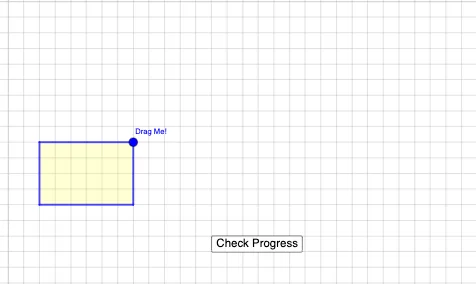
This GeoGebra example demonstrates how to construct rectangles under given geometric constraints and visualize the configuration that yields the maximum possible area. It focuses on geometric optimization in a 2D setting, using core ideas such as coordinate geometry, polygon/rectangle properties, and how vector-like geometric relationships and derived functional quantities support the maximization goal. Construction is carried out with Intersect (to determine key vertices from intersections of lines/curves), PointIn (to test whether points belong to the required region or object), Polygon (to assemble the rectangle as a polygon from computed points), Midpoint (to locate midpoints for symmetry or constraint structure), and Centroid (to obtain the geometric center/centroid for analysis and area-related reasoning). The scene includes multiple points (e.g., A, B, and auxiliary points) along with labeled objects (texts) to guide interpretation. Suitable for advanced secondary education, contest preparation, and anyone learning how to translate “maximize area” problems into interactive geometric constructions.
GeoGebra Commands & Parameters
Intersect(xAxis, yAxis) → APointIn(x ≥ 1 ∧ y ≥ 1) → BPolygon(A, (x(B), 0), B, (0, y(B))) → q1, a, f, b, gMidpoint(g) → CMidpoint(b) → DMidpoint(f) → EMidpoint(a) → FCentroid(q1) → G
AI Drawing Prompt Reference
On a coordinate plane, start with the origin as one vertex. Choose a point in the first quadrant with both coordinates at least 1. Construct a rectangle whose sides are parallel to the axes, using the origin, the chosen point, and its projections onto the x- and y-axes as vertices. Then mark the midpoints of all four sides of the rectanglehol, and locate the geometric center (centroid) of the rectangle. The final figure shows the rectangle, its side midpoints, and its center, with the origin and the chosen point clearly visible.
The prompt above was compiled from the original drawing commands and is for reference only.