
Rectangle Template with Investigation Questions
Loading the math board and drawing, please wait…
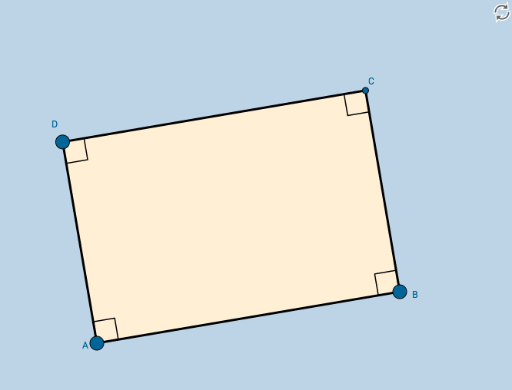
This applet presents an interactive rectangle constructed as a basic template for students to discover the unique properties of rectangles. It demonstrates a rectangle with labeled vertices, sides, and angles, allowing learners to explore concepts such as right angles, parallel opposite sides, equal opposite sides, diagonal properties, and angle sums. The construction uses GeoGebra commands: Segment for sides, OrthogonalLine to ensure perpendicularity, Point and Intersect to define vertices and intersections, Angle to display angle measures, and Polygon to form the rectangle face. Key objects include points A and B, segments a, b, c, d, angles α, β, γ, δ, and polygon poly1. This resource is ideal for middle school geometry classes, where students can manipulate the figure, answer guided questions (e.g., 'Are diagonals equal?', 'What is the sum of angles?'), and formulate conjectures about rectangle properties. It also serves as a customizable template for teachers to create inquiry-based learning activities.
GeoGebra Commands & Parameters
Segment(A, B) → aOrthogonalLine(A, a) → bOrthogonalLine(B, a) → cPoint(b) → DOrthogonalLine(D, b) → dIntersect(c, d) → CSegment(D, A) → eSegment(D, C) → fSegment(C, B) → gAngle(C, B, A) → αAngle(B, A, D) → βAngle(A, D, C) → γAngle(D, C, B) → δPolygon(A, B, C, D) → poly1, a_1, b_1, c_1, d_1