
Rectangle Perimeter Exploration Tool
Loading the math board and drawing, please wait…
In collections
Area and Perimeter of Rectangles
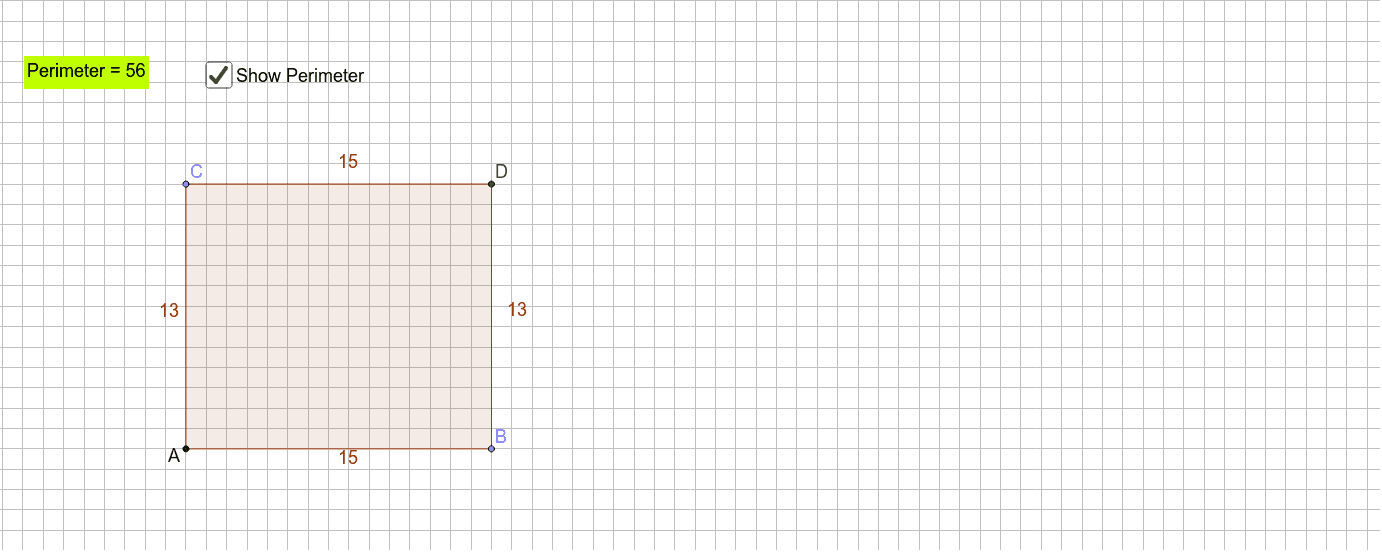
This example demonstrates how to dynamically explore the calculation method of a rectangle's perimeter using GeoGebra. Key math concepts include perimeter calculation, rectangle geometry, and two-dimensional vectors. Construction highlights involve commands/objects like Point, OrthogonalLine, Intersect, Polygon, and Perimeter. Suitable for middle school and above students to understand the perimeter formula and geometric construction.
GeoGebra Commands & Parameters
Point(a) → BPoint(b) → COrthogonalLine(B, a) → cOrthogonalLine(C, b) → dIntersect(c, d) → DPolygon(A, B, D, C) → poly1, a_1, b_1, d_1, c_1Perimeter(poly1) → e
AI Drawing Prompt Reference
Draw a rectangle. Start with two points as the corners. Then draw lines perpendicular to these points. Find the intersection of these lines as the center. Finally, connect the points to form a rectangle and calculate its perimeter.
The prompt above was compiled from the original drawing commands and is for reference only.