
Rectangle Perimeter Example
Loading the math board and drawing, please wait…
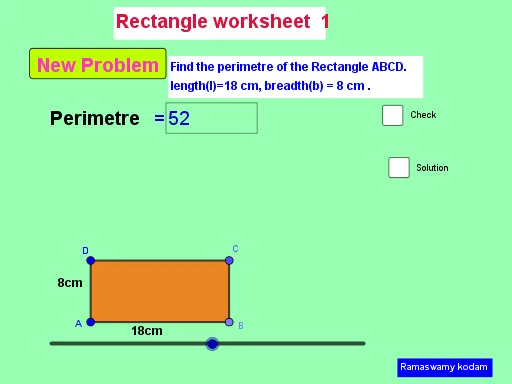
This example demonstrates how to dynamically calculate the perimeter of a rectangle using GeoGebra. Core math concepts include perimeter formula, rectangle properties, and coordinate geometry. Construction highlights involve commands/objects like Random, Textfield, Intersect, Point, Segment, Polygon for creating random rectangles and computing perimeter. Suitable for middle school and above students learning geometric calculations and GeoGebra operations.
GeoGebra Commands & Parameters
Random(2, 20) → aRandom(1, 20) → bTextfield(c) → InputBox1Random(-5, 5) → fIntersect(xAxis, yAxis) → APoint(Circle[A, a]) → BSegment(A, B) → hSegment(D, A) → iSegment(D, C) → jSegment(C, B) → kPolygon(D, A, B, C) → q1, d_1, a_1, b_1, c_1
AI Drawing Prompt Reference
Draw a rectangle with a random length between 2 and 20, and a width between 1 and 20. Use coordinate geometry to construct the four vertices of the rectangle D, A, B, and C starting from point A(-5,0), through the intersection of circle A(a) with the x-axis at point B, and point D(0,f) on the y-axis. Calculate and display the perimeter of the rectangle.
The prompt above was compiled from the original drawing commands and is for reference only.