
Ray - Sphere Intersection Visualization
Loading the math board and drawing, please wait…
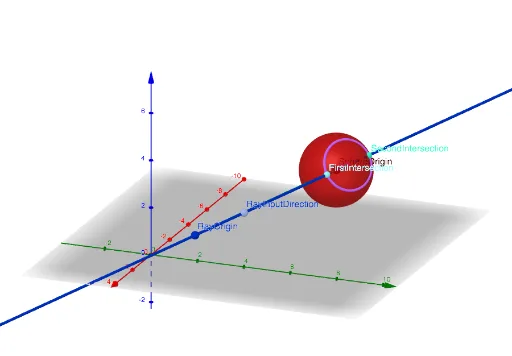
This example demonstrates the intersection between a ray and a sphere, visually showing how the points of intersection change as the ray's position and direction are dynamically adjusted. Key mathematical concepts include spatial geometry, vector operations, and the relationships between points, lines, and planes in analytical geometry. The construction utilizes GeoGebra commands and objects such as Sphere, UnitVector, Line, Vector, and Circle. It is suitable for high school students and math enthusiasts to understand solid geometry and vector mathematics, as well as for teaching demonstrations in related topics.
GeoGebra Commands & Parameters
Sphere(SphereOrigin, SphereRadius) → SphereVisUnitVector(RayInputDirection - RayOrigin) → RayDirectionLine(RayOrigin, RayInputDirection) → RayVisVector(RayOrigin, RayOrigin + RayStartToSphere) → RayStartToSphereVisVector(SphereOrigin, ProjectionVis) → ProjectionTangentCircle(ProjectionVis, DiskRadius, Vector[ProjectionVis, SphereOrigin]) → DiskVis