
Random Spinner: Interactive Probability and Geometry
Loading the math board and drawing, please wait…
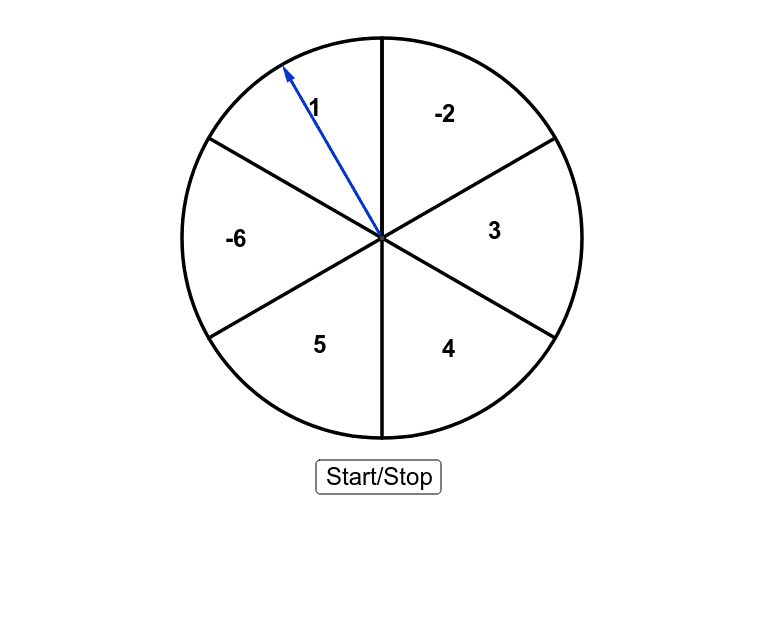
① This example demonstrates a dynamic spinner that combines random selection with geometric figures such as triangles and trapezoids, illustrating the interplay between stochastic processes and geometry. ② Core mathematical concepts include probability, standard deviation, natural numbers, similar triangles, trapezoid properties, vectors, and midpoints. ③ Construction uses GeoGebra commands: Intersect, Circle, RandomElement, Rotate, If, Segment, Midpoint, and Vector, with objects like points A, B, C, D, E, F and text labels (text1–text4) to create an interactive model where the spinner outcome is driven by random elements. ④ Suitable for high school to early college students, this is ideal for exploring probability and statistics, geometric construction, and stochastic simulation in classroom or self-study settings.
GeoGebra Commands & Parameters
Intersect(xAxis, yAxis) → ACircle(A, 4) → cIntersect(c, xAxis, 2) → BRandomElement(list1) → A1Rotate(B, 60°, A) → B'Rotate(B', 60°, A) → B''Rotate(B'', 60°, A) → B'''Rotate(B''', 60°, A) → CRotate(C, 60°, A) → C'If(A1 ≟ -2, B', If[A1 ≟ 1, B'', If[A1 ≟ -6, B''', If[A1 ≟ 5, C, If[A1 ≟ 3, B, C']]]]) → DIntersect(c, yAxis, 1) → ERotate(E, 60°, A) → E'Rotate(E', 60°, A) → E''Rotate(E'', 60°, A) → E'''Rotate(E''', 60°, A) → FRotate(F, 60°, A) → F'Segment(E''', A) → aSegment(A, E'') → bSegment(A, E') → dSegment(A, E) → eSegment(A, F') → fSegment(A, F) → gSegment(A, E''') → hSegment(E''', E'') → iSegment(E'', E') → jSegment(E', E) → kSegment(F', F) → mSegment(F, E''') → nMidpoint(n) → GMidpoint(i) → HMidpoint(j) → IMidpoint(k) → JMidpoint(m) → LVector(A, D) → uIf(l ≟ 1, Vector[Rotate[u, (60° * o), A]], u) → u'