
Random Box & Probability: Simulating Frequency Distributions
Loading the math board and drawing, please wait…
In collections
중2 확률 탐구
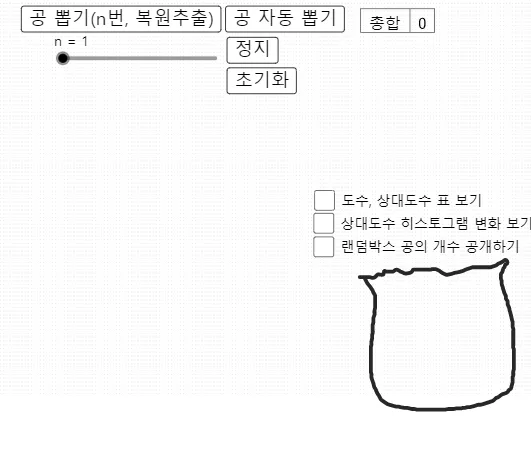
This example visualizes a “random box” drawing experiment and shows how repeated trials produce a frequency distribution. It demonstrates how empirical results (frequencies) evolve toward a stable pattern as the number of draws increases. The core mathematical ideas include probability, random sampling, counting/occurrence frequencies, and using a histogram to represent the distribution; it also supports an intuitive understanding related to convergence behavior in repeated sampling. In construction, GeoGebra commands such as Sample (random draws), Frequency and Element (counting outcomes and retrieving category results), and Histogram (plotting the frequency distribution) are central. Length, Last, Segment, and Join help with measurement and geometric composition, while Textfield and TableText are used to display parameters and statistical summaries. The model includes colored box items and UI/objects for draw counts and outcomes (e.g., draw count, results list, and per-category counters), making it suitable for classroom demonstration and interactive learning in probability & statistics for middle/high school students.
GeoGebra Commands & Parameters
Length(공복원추출리스트) → 공뽑기횟수Last(공복원추출리스트) → 공뽑기결과Frequency(계급, 공복원추출리스트) → L_2Element(L_2, 1) → B2Element(L_2, 2) → B3Element(L_2, 3) → B4Element(L_2, 4) → B5Element(L_2, 5) → B6Join({Sequence[1, k, 1, R], Sequence[2, k, 1, Y], Sequence[3, k, 1, G], Sequence[4, k, 1, B], Sequence[5, k, 1, W]}) → 모집단Sample(모집단, 1) → 공복원추출Element(공복원추출, 1) → bElement(공복원추출리스트, 공뽑기횟수) → 추출한공Histogram(계급, 공복원추출리스트, true, 1 / 공뽑기횟수) → 공뽑기결과히스토그램Segment((0.5, 0.5), (5.5, 0.5)) → fSegment((0.5, 0.2), (5.5, 0.2)) → gSegment((0.5, 0.1), (5.5, 0.1)) → hTextfield(R) → 입력상자1Textfield(Y) → 입력상자2Textfield(G) → 입력상자3Textfield(W) → 입력상자5Textfield(B) → 입력상자4TableText({{A1, B1, C1}, {A2, B2, C2}, {A3, B3, C3}, {A4, B4, C4}, {A5, B5, C5}, {A6, B6, C6}}, "|_lll") → 텍스트1TableText({{A7, B7}}, "|_ll") → 텍스트9
AI Drawing Prompt Reference
Create an interactive statistical chart simulating a random ball-drawing experiment. At the top, show a container with five colored balls (red, yellow, green, blue, white). Each draw randomly selects one ball and records its color. Below, display a histogram with five color categories on the x-axis and relative frequency on the y-axis; as draws increase, bar heights stabilize. Include input fields to adjust the count of each color, and show current draw count, last drawn ball, and a table of cumulative counts per color. Use line segments and text boxes to label key parameters. Layout should be clear and suitable for classroom demonstration.
The prompt above was compiled from the original drawing commands and is for reference only.