
Monte Carlo Pi Estimation with Random Shots: Frequency Stabilization
Loading the math board and drawing, please wait…
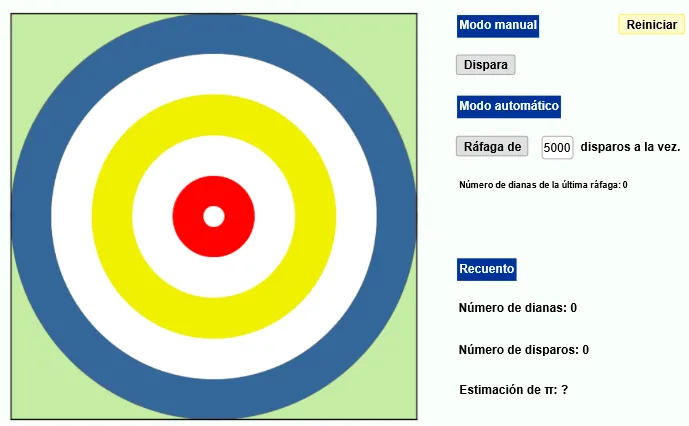
This GeoGebra example demonstrates how the Monte Carlo (random sampling) method can estimate pi (π) by counting “hits” of randomly generated points inside a target region. It shows how empirical frequencies stabilize as the number of trials increases, illustrating the link between probability and long-run frequency. Key concepts include the Monte Carlo method, probability vs. frequency convergence, statistical estimation of π from a hit ratio, and visual interpretation of variability/error (e.g., standard-deviation-like fluctuations) as sample size grows. Construction highlights from the provided summary: it uses CountIf to count successful outcomes, If to apply hit/miss conditions, Length to measure relevant geometric quantities, and Textfield to continuously display computed estimates. Objects and controls include dianas (target/criterion objects), disparos (the set of shots/points), and buttons such as disparar, dispararC, and dispararT to generate new random shots and update grouped statistics; companion objects like dianasT/disparosT and dianasR support comparative or filtered tracking. The example is suitable for high school through early university levels for probability & statistics, numerical experimentation, and classroom demonstrations of the law of large numbers and error reduction under repeated sampling.
GeoGebra Commands & Parameters
CountIf((x(P))^(2) + (y(P))^(2) ≤ 1, P, lista) → dianasLength(lista) → disparosIf(disparar ≤ 5000 ∧ disparar > 0 ∧ floor(disparar) ≟ disparar, disparar, 0) → dispararCTextfield(disparar) → CasillaDeEntrada1CountIf((x(P))^(2) + (y(P))^(2) ≤ 1, P, rafa) → dianasRLength(lista) → a
AI Drawing Prompt Reference
Draw a coordinate plane containing the unit circle as the target region for a Monte Carlo-style experiment. Create a set of random shot points inside and outside the circle, then count how many shots satisfy the inside condition. Use the hit count relative to the total number of shots to compute a running estimate related to π, and display the current trial count and the updated estimate in a text field that refreshes continuously. Include controls (buttons) that generate new random shots and update grouped statistics, along with companion views that support comparative or filtered tracking as additional shots are added, illustrating how the frequencies stabilize over larger sample sizes.
The prompt above was compiled from the original drawing commands and is for reference only.