
Quiz on Polynomial Properties
Loading the math board and drawing, please wait…
In collections
Grade 12 PreCalculus BC
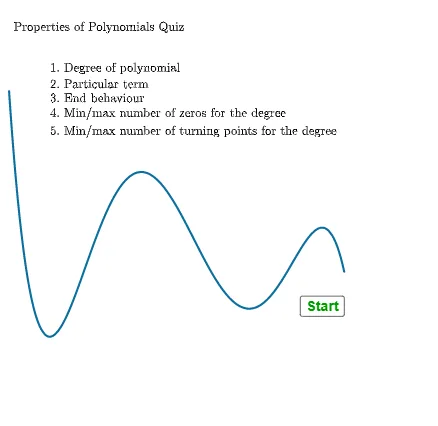
This example demonstrates an interactive quiz on polynomial properties, covering concepts like expansion, factoring, and degree determination. It utilizes GeoGebra commands such as Textfield, RandomElement, Shuffle, If, Expand, Factor, and Degree, along with objects like r6list and InputBox, to generate random problems and evaluate answers. Ideal for high school mathematics education to reinforce polynomial fundamentals.
GeoGebra Commands & Parameters
Textfield(studc2) → InputBox4Textfield(studc1) → InputBox3RandomElement(r6list) → r6Random(1, 5) → r1Random(-5, -1) → r5Random(-5, -1) → r4Random(1, 5) → r3Random(1, 5) → r2Shuffle(rlist) → rshlist, {1, 8, 1, 5, -3, -5}Element(rshlist, 3) → rr3Element(rshlist, 2) → rr2Element(rshlist, 1) → rr1Element(rshlist, 4) → rr4Shuffle(listf) → listfshuffle, {(((((x - 1) * (x - 8)) * (x + 8)) * (x - 1)) * (x^(2) + (5 * x) + 1)), (((x - 1) * (x - 8)) * (x^(2) + (5 * x) + 1)), (((x - 1) * (x^(2) + 1)) * ((x - 1) * (x - 5))), (5 * x) - 8, (((x - 1) * (x - 8)) * (x - 1)), ((x - 1) * (x - 5)), (((x - 1) * (x - 8)) * x^(5 + 1))}Element(listfshuffle, nN) → f0Random(0, 1) → rannegIf(ranneg ≟ 0, (-f0(x)), f0) → fpnExpand(fpn) → fexpFactor(fexp) → fsimIf(qQ ≟ 1, fexp, fsim) → fdisplayDegree(fdisplay) → ansadegreeIf(GCD[ansadegree, 2] ≟ 2, 1, 0) → evenis1If(evenis1 ≟ 0 ∧ ranneg ≟ 1, 1, If[evenis1 ≟ 1 ∧ ranneg ≟ 1, 1, 4]) → ansc2If(evenis1 ≟ 0 ∧ ranneg ≟ 1, 3, If[evenis1 ≟ 1 ∧ ranneg ≟ 0, 3, 2]) → ansc1Element(rshlist, 5) → rr5Corner(5) → dimsIf(evenis1 ≟ 1, 0, 1) → ansd1If(evenis1 ≟ 1, 1, 0) → anse1Textfield(studadegree) → InputBox1Textfield(studbyint) → InputBox2Textfield(studd2) → InputBox6Textfield(stude2) → InputBox8Textfield(stude1) → InputBox7Textfield(studd1) → InputBox5AreEqual(InputBox1, ansadegree) → corraAreEqual(InputBox2, ansbyint) → corrb
AI Drawing Prompt Reference
Create an interactive worksheet for a polynomial-properties quiz. Include several visible input boxes for student answers. In the main area, display a single polynomial expression that is built from randomly chosen integer factors and sign choices: first form a candidate polynomial, then algebraically expand it, factor it into equivalent forms, and finally select one version to present as the “shown” polynomial. Show the polynomial’s degree alongside the displayed function as a reference value. Include on-screen wording/structure that asks the user to compare their typed degree (and related properties such as parity/integer-type answer) with the computed results, emphasizing the relationship between the displayed polynomial and the displayed degree and correctness checks.
The prompt above was compiled from the original drawing commands and is for reference only.