
Linear Function 5 Points Introduction
Loading the math board and drawing, please wait…
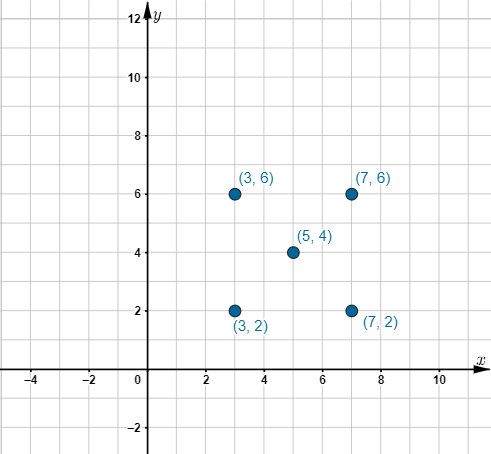
① This example demonstrates the fundamental features of a linear function by placing five key points (A, B, C, D, E) on the coordinate plane, allowing learners to see how points relate to the straight line graph. ② Core mathematical concepts include linear functions (slope, intercept), coordinate geometry, and the property that any two points determine a unique line; the five points provide multiple checks for consistency. ③ Construction: In GeoGebra, five free point objects (A, B, C, D, E) are created; users can drag these points to dynamically change their positions and observe how the line equation adjusts, reinforcing the relationship between coordinates and the function rule. ④ Suitable for middle school or early high school students beginning to study linear functions, as well as for classroom demonstrations or self-paced exploration to build intuition from discrete points to the continuous graph.
GeoGebra Commands & Parameters
Point A(3, 2)Point B(7, 2)Point C(3, 6)Point D(5, 4)Point E(7, 6)
AI Drawing Prompt Reference
Draw five points in a coordinate plane at positions (3,2), (7,2), (3,6), (5,4), and (7,6), then plot the straight line passing through these points to illustrate the characteristics of a linear function, including slope and intercept, and the property that any two points determine a unique line. Users can drag the points to observe how the line equation adjusts, reinforcing the relationship between coordinates and the function rule.
The prompt above was compiled from the original drawing commands and is for reference only.