
Quick Quiz Trigonometric Functions
Loading the math board and drawing, please wait…
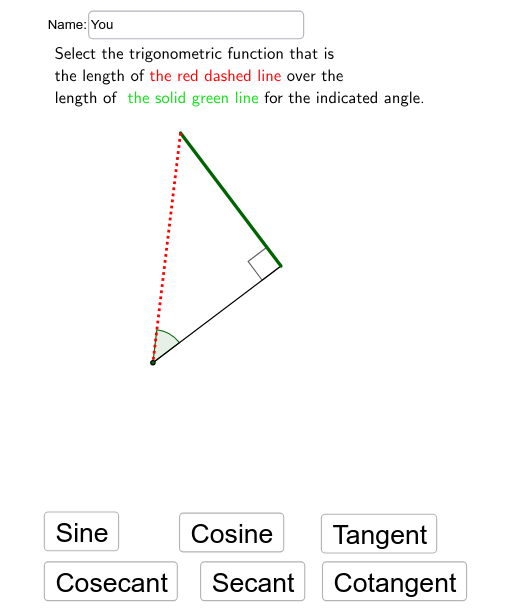
This example demonstrates the recognition of trigonometric functions through randomly drawn triangles with highlighted sides. It involves core concepts like sine, cosine, tangent, angle measurement, and triangle geometry. Constructed using GeoGebra commands such as Line, OrthogonalLine, Intersect, Segment, Angle, Textfield, and If, it is suitable for high school mathematics teaching, providing instant practice and visualization of trigonometric functions.
GeoGebra Commands & Parameters
Line(A, B) → aOrthogonalLine(C, a) → bIntersect(a, b) → DSegment(D, C) → dSegment(C, A) → eSegment(D, A) → fAngle(D, A, C) → αAngle(C, A, D) → βAngle(C, D, A) → γAngle(A, D, C) → δTextfield(name) → InputBox1If(second < 10, "0", "") → textsec
AI Drawing Prompt Reference
Draw a triangle ABC with AB as the base and C as the vertex. From point C, draw a perpendicular line to AB, intersecting at point D. Connect CD, CA, and DA to form angles α, β, and γ. In the input box, enter the degree of angle α, and if the angle is less than 10 degrees, add a '0' before the number.
The prompt above was compiled from the original drawing commands and is for reference only.