
Quick Investigation of Same-Side-Interior Angles
Loading the math board and drawing, please wait…
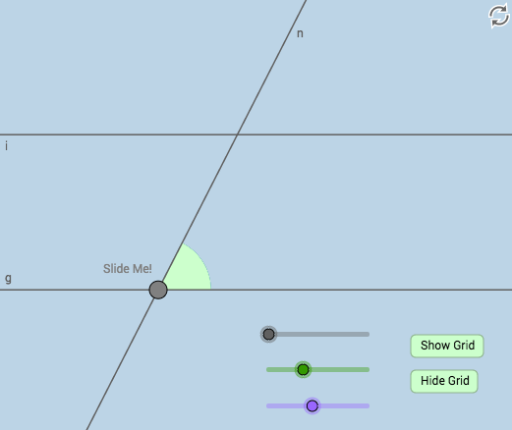
This example demonstrates the properties of same-side-interior angles by moving a transversal line intersecting parallel lines. Key concepts include angle properties and line relationships. Commands used include Point, Line, Rotate, Angle, Circle, Intersect, Segment, CircleSector, Vector, Translate, Ray, CircleArc, suitable for middle school and above students for geometric exploration.
GeoGebra Commands & Parameters
Point(y = 0) → ALine(A, B) → fRotate(B, α, A) → B'Angle(B, A, B') → γLine(A, B') → gRotate(B', β, A) → B''Angle(B', A, B'') → δLine(A, B'') → hCircle(A, a) → cIntersect(c, h, 2) → CLine(C, g) → iCircle(C, A) → dCircle(A, C) → eIntersect(e, h, 2) → JSegment(A, C) → jCircle(A, (0.3 * j)) → kCircle(C, (0.3 * j)) → pIntersect(p, h) → N, OIntersect(k, h) → P, QIntersect(k, g) → T, UIntersect(p, i, 2) → VIntersect(p, i, 1) → WCircleSector(A, U, Q) → qCircle(C, j / 2) → g_1Circle(A, j / 2) → h_1Intersect(g_1, i, 2) → DIntersect(g_1, i, 1) → EIntersect(g_1, h, 2) → HIntersect(g_1, h) → I, ZIntersect(h_1, h) → A_1, B_1Intersect(h_1, g) → E_1, F_1Point(j) → G_1Vector(A, G_1) → uTranslate(q, u) → q'Segment(A, G_1) → lRay(A, A_1) → mRay(C, H) → nVector(A, G_1) → vSegment(G_1, C) → sCircleArc(A, U, Q) → tCircleArc(C, N, O) → rPoint(r) → FRotate(F, (-δ), C) → F'Angle(F', C, F) → εSegment(A, C) → bCircleSector(C, N, V) → d_1
AI Drawing Prompt Reference
Draw two parallel lines and a transversal line that intersects them. Mark the points where the transversal intersects the parallel lines and measure the same-side interior angles. Use rotation and angle measurement to construct several circles and arcs, connecting key points to form multiple arcs and segments, ultimately demonstrating the properties of same-side interior angles.
The prompt above was compiled from the original drawing commands and is for reference only.