
Properties of a Rhombus by David T
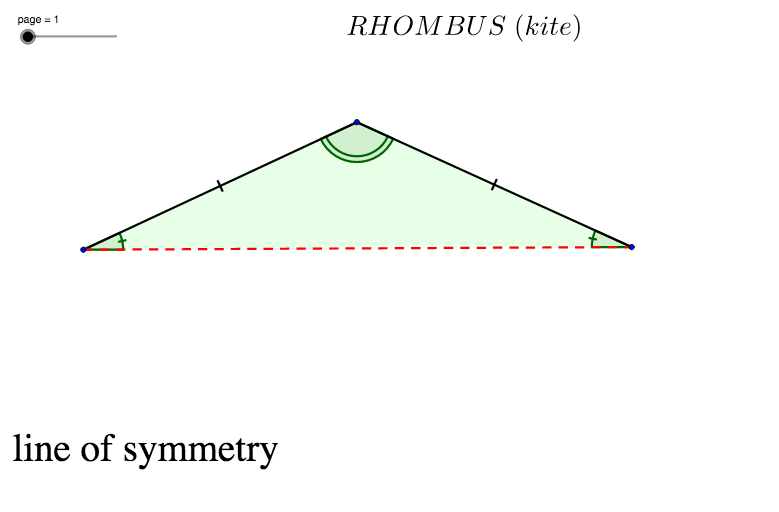
Loading the math board and drawing, please wait…
This example demonstrates the geometric properties of a rhombus, including perpendicular and bisecting diagonals, equal sides, and congruent angles. Core math concepts involved are polygons, angles, vectors, trigonometric functions, and geometric constructions. Construction highlights include using commands like LineBisector, Line, Point, Polygon, Angle, Segment, Mirror, Intersect, and Rotate to build the rhombus and its related elements. Suitable for high school mathematics education to visually illustrate and verify the symmetry and related theorems of rhombuses.
GeoGebra Commands & Parameters
LineBisector(A, B) → iLine(A, B) → aPoint(i) → CPolygon(A, B, C) → poly1, c, a_1, bAngle(B, A, C) → αAngle(A, C, B) → βAngle(C, B, A) → γSegment(A, B) → dMirror(A, d) → A'Mirror(B, d) → B'Mirror(C, d) → C'Polygon(A', B', C') → poly1', c', a', b'Angle(B, C', A) → δAngle(A, B, C') → εAngle(C', A, B) → ζSegment(C, C') → eIntersect(e, a) → DSegment(C, D) → fSegment(C', D) → gAngle(A, C, C') → ηAngle(C, C', A) → θAngle(C', A, C) → ιAngle(C, B, C') → κAngle(C', C, B) → λAngle(B, C', C) → μAngle(B, D, C) → νSegment(A, D) → hSegment(A, C) → kSegment(C, B) → lSegment(C', B) → mSegment(A, C') → nRotate(A, rotate, D) → A'_1Rotate(B, rotate, D) → B'_1Rotate(C, rotate, D) → C'_1Rotate(A, rotate, D) → A'_2Rotate(B, rotate, D) → B'_2Rotate(C, rotate, D) → C'_2Polygon(A'_2, B'_2, C'_2) → poly1'_1, c'_2, a'_2, b'_2Angle(C'_1, B'_1, A'_1) → ξAngle(B'_1, A'_1, C'_1) → οAngle(A'_1, C'_1, B'_1) → ρSegment(D, B) → j
AI Drawing Prompt Reference
Draw a rhombus with perpendicular and bisecting diagonals, equal sides, and angle relationships. Start by drawing two intersecting line segments AB and BC, then find their perpendicular bisectors to determine the vertices of the rhombus. Draw the rhombus and measure its angles. Use mirroring and rotation to generate the symmetrical image of the rhombus and observe the angle changes.
The prompt above was compiled from the original drawing commands and is for reference only.