
Circle Equation Through 3 Points: A GeoGebra Construction
Loading the math board and drawing, please wait…
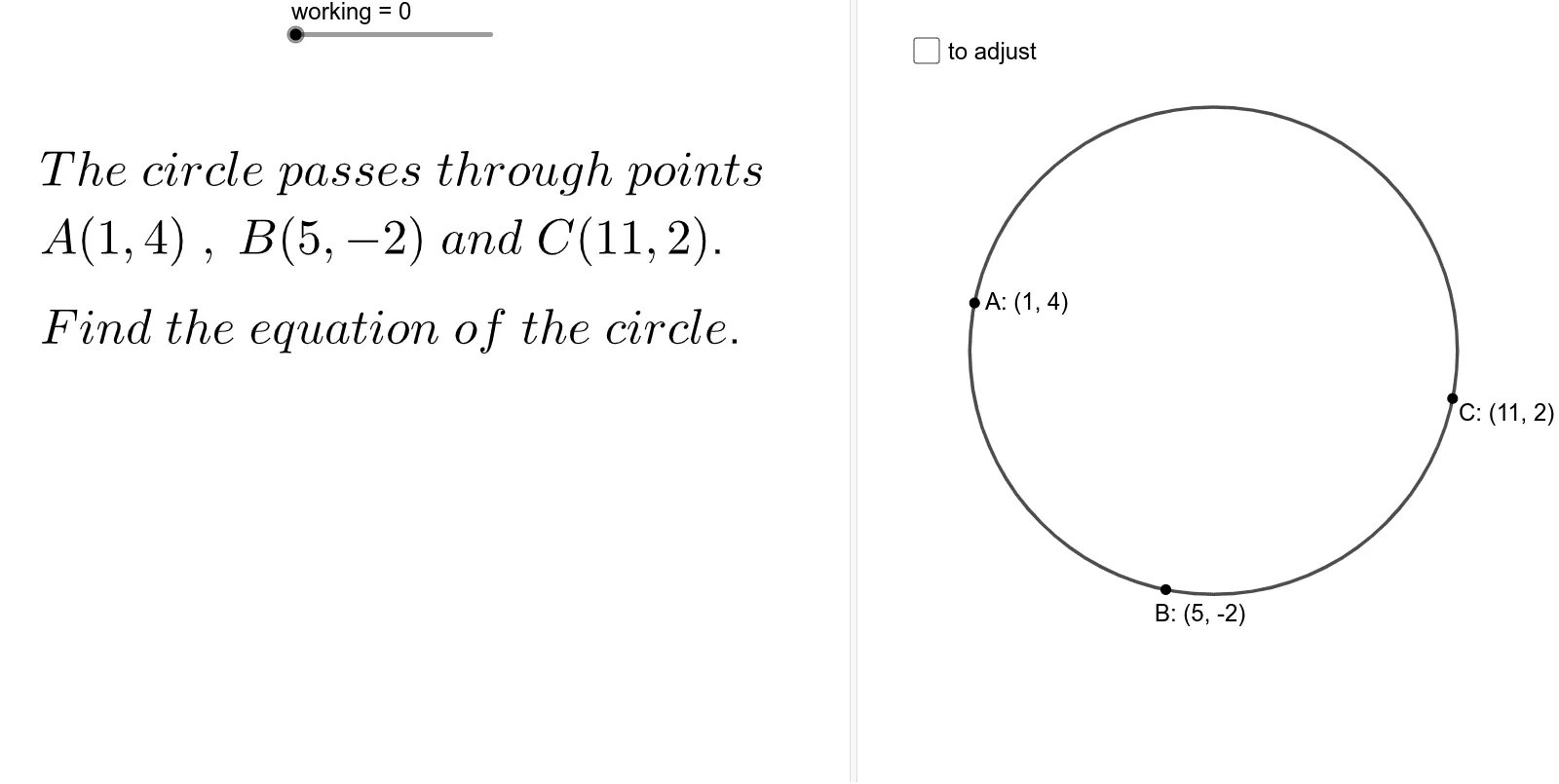
This example demonstrates how to determine the unique circle passing through three non-collinear points and derive/build its equation in GeoGebra. It centers on key ideas such as the distance-from-center property of a circle, the use of perpendicular bisectors, and how their intersection gives the circle’s center. The construction uses commands like Line and OrthogonalLine to form perpendicular bisectors, Intersect to compute their intersection point (the center), and Circle to create the circle from the center and radius. Distance is used to verify that the center is equidistant from the given points. Additionally, If together with GCD and related numeric objects (num, den, sign, working) supports symbolic/numeric handling of expressions, while auxiliary tools such as Angle, Rotate, and Mirror help organize geometric steps. Suitable for middle school to high school students learning coordinate geometry and geometric construction.
GeoGebra Commands & Parameters
If(y(A) < 0, ")", "") → brY_ARIf(y(A) < 0, "(", "") → brY_ALIf(x(A) < 0, ")", "") → brX_ARIf(x(A) < 0, "(", "") → brX_ALIf(c / d < 0, "-", "") → signGCD(c, d) → HCFIf(c > 0 ∧ d > 0 ∧ HCF < 2 ∧ d ≠ 1, "", If[den ≟ 0, "= undefined", If[den ≠ 1, "=" + sign + "\frac{" + num + "}{" + den + "}", "=" + sign + num]]) → text11Segment(A, M) → aSlope(a) → bOrthogonalLine(A, line) → gOrthogonalLine(M, g) → hIntersect(line, g) → DIntersect(g, h) → EIntersect(h, a) → FIntersect(line, g) → GRotate(A, 90°, M) → C'_1If(c / d < 0 ∨ d ≟ 0, "", "-") → sign_1Line(A, M) → lIf(c / d < 0, -1, 1) → vvIf(c / d < 0, 1, -1) → vv_1If(d > 0, "-", "") → sign_2OrthogonalLine(M, l) → nDistance(A, M) → CPMirror(A, n) → BPoint(n) → PAngle(B, M, P) → αSegment(A, B) → mSegment(P, M) → pCircle(P, A) → qPoint(q) → CSegment(B, C) → rOrthogonalLine(P, r) → sIntersect(r, s) → NAngle(C, N, P) → β
AI Drawing Prompt Reference
Draw three non-collinear points and connect two of them with a segment. Construct the perpendicular bisector of this segment, and draw a line through the third point parallel to the segment; these two lines intersect at a point. Use this intersection as the center to draw a circle passing through all three original points. Then draw a line through the center perpendicular to one chord, marking its intersection with the chord to form a right angle. Finally, pick a point on the circle, connect it to the other two points, and draw a line through this point perpendicular to that connection, marking the foot to form another right angle.
The prompt above was compiled from the original drawing commands and is for reference only.