
Pringles and the Cylinder
Loading the math board and drawing, please wait…
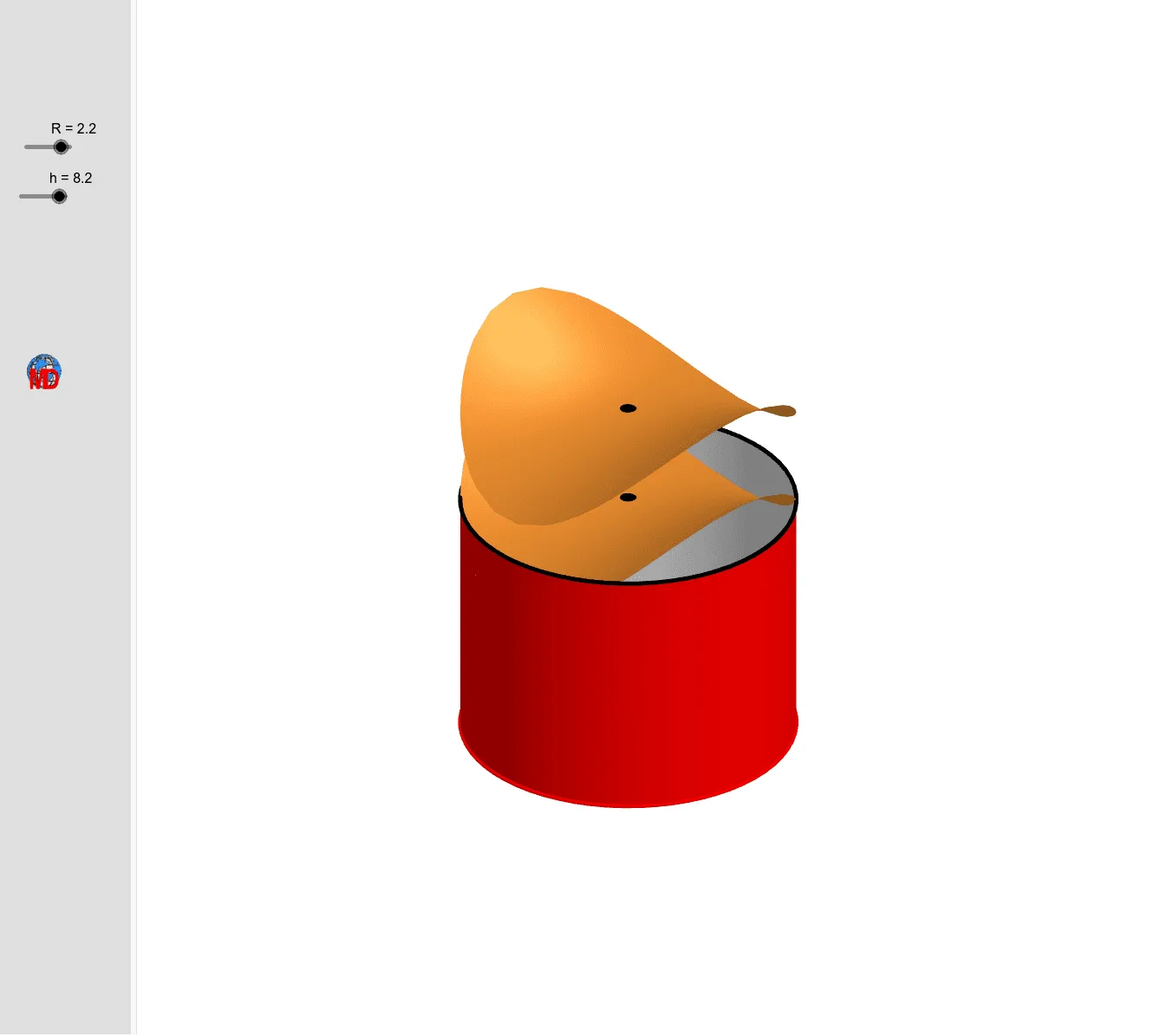
This example demonstrates how to construct a Pringles-shaped cylinder and its surface using GeoGebra, analyzing geometric properties like perimeter and surface area. Core math concepts include cylinder, perimeter, surface area, cube, right triangles, trigonometric functions, normal distribution, binomial distribution. Construction involves GeoGebra commands: Line, Circle, Cylinder, Surface, CurveCartesian. Suitable for high school and above, ideal for teaching solid geometry, coordinate geometry, and probability & statistics visually.
GeoGebra Commands & Parameters
Line(O, zAxis) → fCircle(O, R, f) → dCylinder(d, -20) → e, e_2, e_3Circle(O, R - 0.02, f) → gCylinder(g, -20) → i, i_2, i_3Surface(x(A) + (r * cos(k)), y(A) + (r * sin(k)), z(A) + (r^(2) * (cos(k)^(2) - sin(k)^(2))), k, 0, (2 * π), r, 0, R) → bCurveCartesian(x(A) + (R * cos(k)), y(A) + (R * sin(k)), z(A) + (R^(2) * (cos(k)^(2) - sin(k)^(2))), k, 0, (2 * π)) → aCurveCartesian(x(A) + (R * cos(k)), y(A) + (R * sin(k)), z(A) + ((R - (R * (1 - If[h < 1, 1, h / 10])))^(2) * (cos(k)^(2) - sin(k)^(2))), k, 0, (2 * π)) → cSurface(x(B) + (r * cos(k)), y(B) + (r * sin(k)), z(B) + (r^(2) * (cos(k)^(2) - sin(k)^(2))), k, 0, (2 * π), r, 0, R) → j
AI Drawing Prompt Reference
Draw a Pringles chip can model, including a large cylinder and a smaller cylinder inside it, with the smaller cylinder's height being one-tenth of the larger cylinder's height. Use circle, line, and cylinder commands to construct it, starting with the base circle of the large cylinder, then its side, followed by the base circle of the smaller cylinder, and finally its side.
The prompt above was compiled from the original drawing commands and is for reference only.