
Prime Factorization Visualization with PrimeFactors
Loading the math board and drawing, please wait…
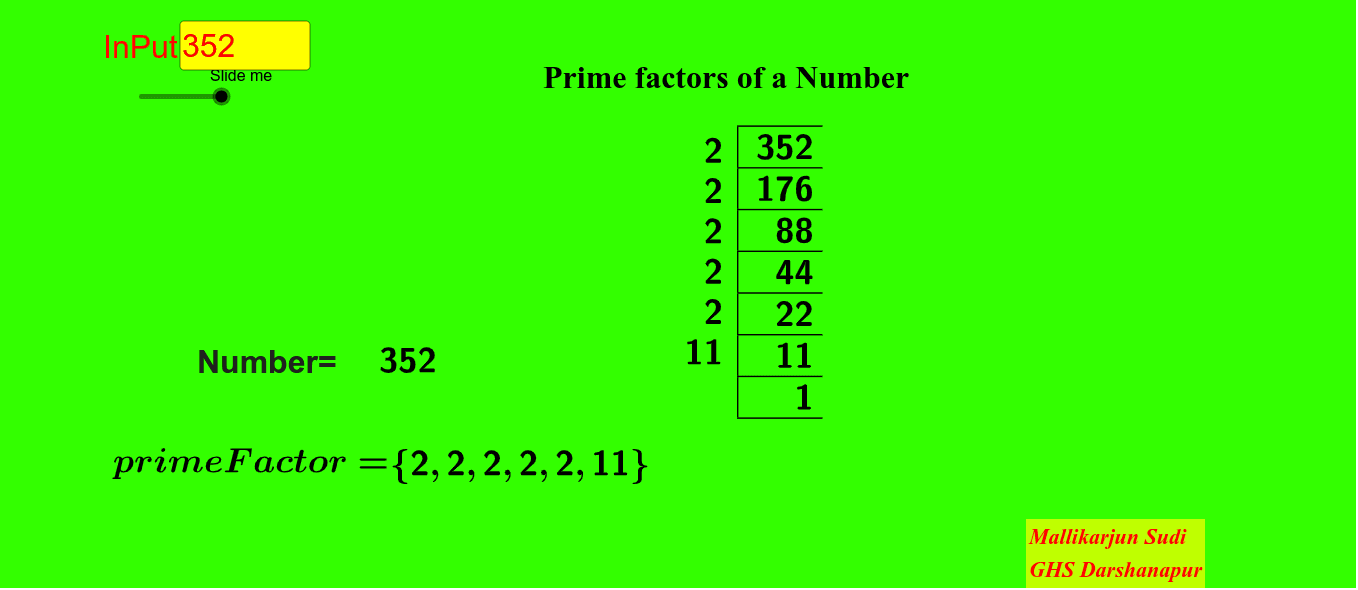
This example demonstrates how an integer is decomposed into its prime factors and visualizes the result in a structured, text/table-friendly form (often complemented by bar/graph-style organization). It focuses on the mathematical ideas of prime factorization, prime numbers, and representing the factorization as a product of primes with corresponding multiplicities. The construction uses GeoGebra commands and objects to generate and present the data: PrimeFactors computes the prime factors of the input n; Append incrementally builds lists (e.g., listA); Zip packages multiple lists into paired structures suitable for table output; TableText displays the formatted results; and LaTeX plus Textfield are used to render the factorization expression and provide interactive inputs (via InputBox1). The referenced objects (text1–text8, a, b, n, L, L1, listA) support displaying the decomposition and guiding user interaction. Suitable for middle and high school number theory lessons and classroom explorations of factorization and data representation.
GeoGebra Commands & Parameters
PrimeFactors(a) → LAppend(1, Sequence[Product[L, k], k, 1, Length[L]]) → L1Zip(a / k, k, L1) → listATableText({First[L, n]}, "rv") → text2TableText({First[listA, n + 1]}, "|100_1vr") → text3LaTeX(a) → text4LaTeX(L) → text6Textfield(a) → InputBox1
AI Drawing Prompt Reference
Create a visualization of prime factorization for an integer. Include an input box for the number. Below, display two aligned rows in a table: the top row lists the prime factors, and the bottom row lists the corresponding quotients obtained by dividing the original number by each cumulative product. Next to the table, show the factorization as a mathematical product expression. The layout should be clean and educational, emphasizing the relationship between primes and quotients.
The prompt above was compiled from the original drawing commands and is for reference only.