
Prime & Composite Numbers
Loading the math board and drawing, please wait…
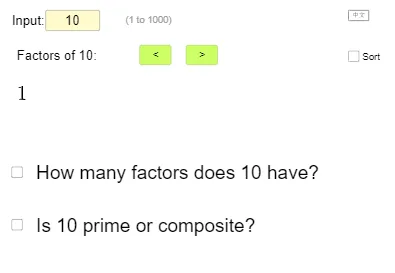
This example demonstrates the identification and display of prime and composite numbers. It involves core mathematical concepts like prime numbers, composite numbers, factorization, and number sequences. GeoGebra commands and objects used include Textfield, Reverse, KeepIf, Flatten, If, Sequence, Length, Sort. Suitable for middle school mathematics education to understand number properties and factorization.
GeoGebra Commands & Parameters
Textfield(n) → InputBox1Reverse(KeepIf[IsInteger[k], k, Sequence[n / i, i, floor(sqrt(n)) + 1, n]]) → l1KeepIf(IsInteger[k], k, Sequence[n / i, i, 1, floor(sqrt(n))]) → l2Flatten(Zip[{a, b}, a, l1, b, l2]) → l3If(IsInteger[sqrt(n)], Append[l3, sqrt(n)], l3) → listFactorSequence(Text[listFactor(i)] + "\,,\," + (If[Mod[i, 10] ≟ 0, "\\", ""]), i, 1, t) → listFactorTextLength(listFactor) → fSort(listFactor) → listFactorSortSequence(Text[listFactorSort(i)] + "\,,\," + (If[Mod[i, 10] ≟ 0, "\\", ""]), i, 1, t) → listFactorTextSort
AI Drawing Prompt Reference
Display the identification and display of prime and composite numbers. Input a number, calculate all its factors and classify them as prime or composite, label each number with its factor list, and display them in ascending and descending order respectively. Finally, separate the factor list with a specific symbol based on the remainder when divided by 10, completing the entire sequence display.
The prompt above was compiled from the original drawing commands and is for reference only.