
Addition of Directed Numbers
Loading the math board and drawing, please wait…
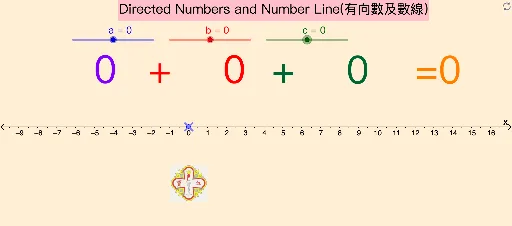
This example demonstrates the addition of directed numbers. Key mathematical concepts include directed numbers and their addition. Using GeoGebra commands such as CircleArc, Sum, and Vector, the addition process is visually illustrated. Suitable for students at the junior high school level and above to learn about directed numbers.
GeoGebra Commands & Parameters
CircleArc(M_{OA}, A, O) → ArcOACircleArc(M_{AB}, B, A) → ArcABCircleArc(M_{BC}, C, B) → ArcBCSum({a, b, c}) → sumVector(A - (0, 1.5), B - (0, 1.5)) → V_{AB}Vector(B - (0, 2), C - (0, 2)) → V_{BC}Vector(O_1, A_1) → V_{OA}CircleArc(M_{AB}, A, B) → ArcAB_1CircleArc(M_{OA}, O, A) → ArcOA_1Segment(C_3, C) → dCircleArc(M_{BC}, B, C) → ArcBC_1Segment(A_1, A) → fSegment(O_1, O) → hSegment(B_2, B) → eSegment(A_2, A) → gSegment(B_3, B) → i
AI Drawing Prompt Reference
Draw a horizontal number line with the origin on the left and three directed segments to the right, each representing a positive number. Above each segment, draw an arc centered at its midpoint, connecting the two endpoints, forming a continuous wavy curve. Below the number line, use parallel arrow vectors to show the translation of each segment, with arrows from start to end at equal spacing. Finally, connect points on the number line to the corresponding vector endpoints with vertical dashed lines, and label the total sum. The composition should clearly illustrate the addition of directed numbers.
The prompt above was compiled from the original drawing commands and is for reference only.