
Pop that Balloon 4
Loading the math board and drawing, please wait…
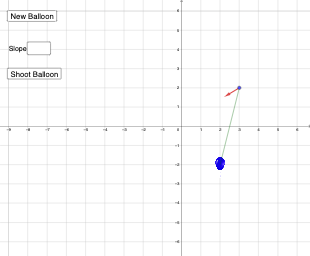
This example demonstrates the geometric distribution in probability and statistics. It simulates the process of popping balloons randomly to illustrate the concept of geometric distribution. The construction uses commands such as Random, Segment, Circle, Line, Intersect, RandomPointIn, Ray, Slope, Textfield, Vector, Defined in GeoGebra. Suitable for high school mathematics education.
GeoGebra Commands & Parameters
Random(-6, 6) → b, -2Random(-6, 6) → a, 2Segment(A, B) → kCircle(B, 5) → cLine(B, xAxis) → fLine(B, yAxis) → gIntersect(c, f, 1) → CIntersect(c, f, 2) → DIntersect(c, g, 2) → EIntersect(c, g, 1) → FRandomPointIn(c) → G, (-0.2456062378692221, 0.041188781791082096)Ray(A, G) → hSegment(E, A) → iCircle(A, r + 0.89) → eIntersect(e, h, 1) → HSlope(k) → dTextfield(ans) → InputBox1Line(A, p) → jIntersect(e, k, 1) → ICircle(A, r) → qIntersect(q, h, 1) → LIntersect(q, k, 1) → MVector(L, H) → wVector(M, I) → uDefined(ans) → isansdefIntersect(f, j) → JRay(A, J) → lIntersect(q, l, 1) → KIntersect(e, l, 1) → NVector(K, N) → vSegment(B, A) → m
AI Drawing Prompt Reference
Create a simulation showing the geometric distribution by randomly placing a point inside a circle. Start with a horizontal and a vertical line segment intersecting at the origin. Draw a circle centered at the origin, then two lines intersecting the circle and the axes. Choose a random point inside the circle and draw a ray from the origin to this point. Connect the intersection of the circle with the horizontal line to the origin. Draw a larger circle with the same center and a slightly larger radius. Finally, draw a ray from the origin intersecting both circles and connect the intersection points.
The prompt above was compiled from the original drawing commands and is for reference only.