
Pop that Balloon 1
Loading the math board and drawing, please wait…
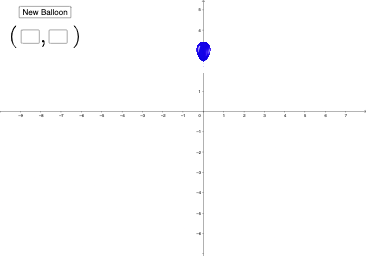
This example demonstrates how to hit balloons in 3D space using coordinates and vectors. Key mathematical concepts include coordinate systems, vectors, and geometric distribution. Using GeoGebra commands such as Random, Textfield, and If, an interactive math game is constructed. Suitable for middle school and above students to learn coordinate geometry and 3D vectors.
GeoGebra Commands & Parameters
Random(-5, 5) → b, 3Random(-6, 7) → a, 0Textfield(m) → InputBox1Textfield(n) → InputBox2If(m ≟ a ∧ n ≟ b, 1, 0) → hit
AI Drawing Prompt Reference
In a 3D coordinate space, build an interactive geometry-and-vector hit-testing scene. Randomly generate coordinate components for a target: one part uses a fixed y-value of 3, and the other part uses a fixed x-value of 0 together with its remaining random component. Add two input fields so the user can enter two variables m and n. Define the condition so that when m matches the first randomly generated component and n matches the second, the display indicates “hit”; otherwise it shows no hit. Emphasize the coordinate system, vectors, and geometric distribution idea throughout the construction.
The prompt above was compiled from the original drawing commands and is for reference only.