
Polar Curve: Pencil Drawing a Cardioid
Loading the math board and drawing, please wait…
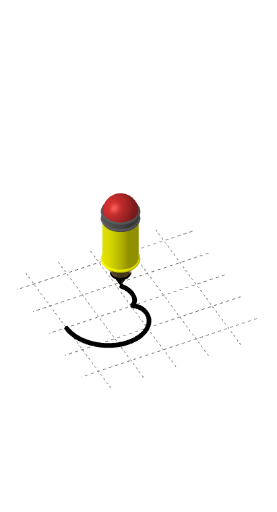
This example demonstrates the dynamic process of drawing a cardioid in polar coordinates, visualized by a pencil animation that traces the curve. The core mathematical concepts include polar equations, parametric curves, and the geometric properties of the cardioid such as symmetry and cusp. Construction highlights: based on the summary, the GeoGebra command CurveCartesian is used to define the curve, while auxiliary 3D objects like Cone, Cylinder, and Sphere appear, along with multiple points (A, B, C, D, E), segments (d, e, f, g, h, i, j, l, m), and parameters (a, b, c, p, q) that control the pencil's motion and animation. Suitable for high school or early college students learning polar coordinates and parametric equations, and useful for mathematical visualization to show how a curve emerges from its equation.
GeoGebra Commands & Parameters
Cone(C, A, 0.5) → d, e, fCone(B, A, 0.25) → a, a_{2}, a_{3}Cylinder(C, D, 0.5) → b, c, g, hCylinder(E, D, 0.5) → i, p, q, jSphere(E, 0.5) → lCurveCartesian(((1 + cos(t)) * cos(t)), ((1 + cos(t)) * sin(t)), 0, t, 0, k) → m
AI Drawing Prompt Reference
Draw a cardioid using polar coordinates. Start by drawing a cone, then a cylinder, and finally a sphere. Use the parametric equation ((1 + cos(t)) * cos(t)), ((1 + cos(t)) * sin(t)) from t=0 to t=2π to dynamically trace the cardioid.
The prompt above was compiled from the original drawing commands and is for reference only.