
Point-Slope Form Practice
Loading the math board and drawing, please wait…
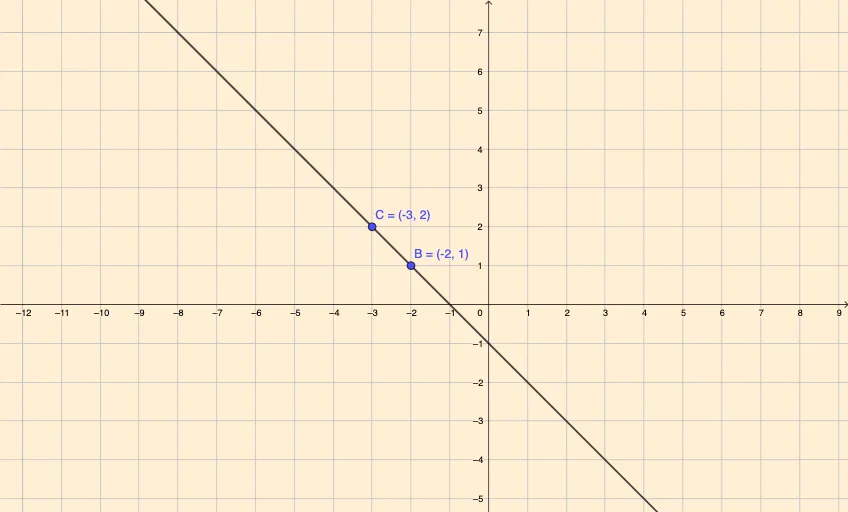
This GeoGebra interactive example helps learners practice and understand the point-slope form of a linear equation, y - y₁ = m(x - x₁). The applet displays a movable point and slope, generates the corresponding line in real time, and includes feedback buttons to check answers. Key mathematical concepts include linear equations, slope calculation, and coordinate geometry. Construction uses GeoGebra commands such as Line, Slope, If, FractionText, and objects like points, m, x₁, y₁. Suitable for middle and high school algebra units, it can be used for classroom demonstration or independent study.
GeoGebra Commands & Parameters
Line(B, C) → fSlope(f) → aFractionText(m) → textSlopeIf(x_{1} > 0, "-" + (Text[d]), x_{1} < 0, "+" + (Text[d]), x_{1} ≟ 0, "-" + (Text[x_{1}])) → textx_{1}If(y_{1} < 0, "+" + (Text[e]), y_{1} > 0, "-" + (Text[e]), y_{1} ≟ 0, "-" + y_{1}) → texty_{1}
AI Drawing Prompt Reference
Create an interactive illustration showing the point-slope form of a linear equation, y - y₁ = m(x - x₁). Include a draggable point and an adjustable slope value, with the corresponding line being drawn in real-time based on these inputs. Display the slope as a fraction and the coordinates of the point, adjusting signs accordingly. Add feedback buttons for answer checking, suitable for practicing linear equations and coordinate geometry.
The prompt above was compiled from the original drawing commands and is for reference only.