
Point on Perpendicular Bisector (Part 2) - Quick
Loading the math board and drawing, please wait…
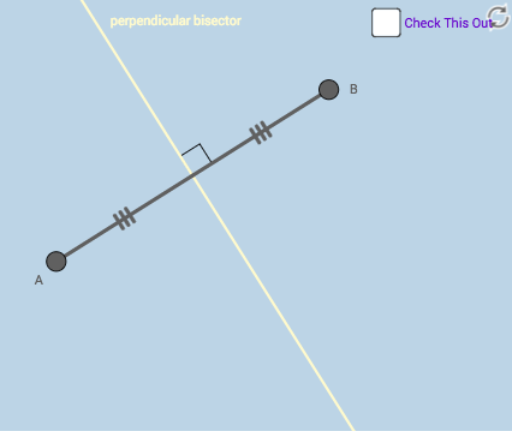
① This interactive GeoGebra example demonstrates a fundamental geometric fact: any point lying on the perpendicular bisector of a segment is equidistant from the segment's endpoints. ② The core mathematical concept is the property of the perpendicular bisector as the locus of points equidistant from two fixed points, involving midpoint, perpendicularity, and angle measurement. ③ Construction details: using GeoGebra commands Segment to create segment AB, Midpoint to find M, LineBisector to construct the perpendicular bisector, Point to place a movable point C on it, and Angle to measure related angles; dragging C visually confirms equal distances. ④ Suitable for middle school geometry lessons or self-study, ideal for quickly grasping the perpendicular bisector theorem and as a dynamic demonstration tool for teachers.
GeoGebra Commands & Parameters
Segment(A, B) → aMidpoint(a) → MSegment(A, M) → cSegment(M, B) → dSegment(A, B) → fLineBisector(f) → bAngle(f, b) → αPoint(b) → CPoint(b) → DSegment(D, A) → gSegment(D, B) → h
AI Drawing Prompt Reference
Draw a horizontal segment with two endpoints. Mark its midpoint)Skip. Construct the perpendicular bisector through the midpoint, perpendicular to the segment. Connect the midpoint to each endpoint with two small segments. Then place two arbitrary points on the perpendicular bisector. From one point, draw dashed segments to both endpoints; from the other point, draw solid segments to both endpoints. Indicate the right angle between the bisector and the original segment with a small square and angle label. The figure illustrates that any point on the perpendicular bisector is equidistant from the segment's endpoints.
The prompt above was compiled from the original drawing commands and is for reference only.