
Playing with Rotations
Loading the math board and drawing, please wait…
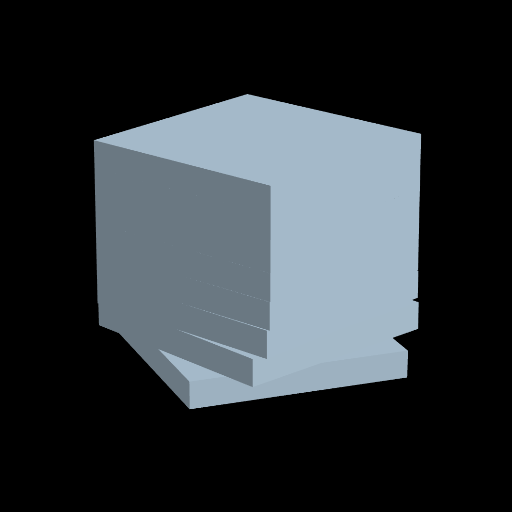
This example demonstrates the dynamic effects of rotation transformations. It involves the concept of rotation in geometry. Using GeoGebra commands such as Sequence, Zip, Prism, and Rotate, it creates rotating 3D shapes. Suitable for middle school and above students to learn about geometric transformations and solid geometry.
GeoGebra Commands & Parameters
Sequence(k, k, -4, 3) → Ln, {-4, -3, -2, -1, 0, 1, 2, 3}Zip("prism" + (Text[k]), k, Lm) → LnamePrism(Polygon[(4, -4, -4), (4, 4, -4), 4, xOyPlane], 1) → prism1, A, edge1, edge2, edge3, edge4, edgeAB, edgeBC, edgeCD, edgeAD, B, C, D, face1, face3, face4, face2, faceABCDPrism(Polygon[(4, -4, -3), (4, 4, -3), 4, xOyPlane], 1) → prism2, E, edge5, edge6, edge7, edge8, edgeEF, edgeFG, edgeGH, edgeEH, F, G, H, face5, face7, face8, face6, faceEFGHPrism(Polygon[(4, -4, -2), (4, 4, -2), 4, xOyPlane], 1) → prism3, I, edge9, edge10, edge11, edge12, edgeIJ, edgeJK, edgeKL, edgeIL, J, K, L, face9, face11, face12, face10, faceIJKLPrism(Polygon[(4, -4, -1), (4, 4, -1), 4, xOyPlane], 1) → prism4, M, edge13, edge14, edge15, edge16, edgeMN, edgeNO, edgeOP, edgeMP, N, O, P, face13, face15, face16, face14, faceMNOPPrism(Polygon[(4, -4, 0), (4, 4, 0), 4, xOyPlane], 1) → prism5, Q, edge17, edge18, edge19, edge20, edge41, edge42, edge43, edge44, R, S, T, face17, face18, face19, face20, face35Prism(Polygon[(4, -4, 1), (4, 4, 1), 4, xOyPlane], 1) → prism6, U, edge21, edge22, edge23, edge24, edgeUV, edgeVW, edgeWZ, edgeUZ, V, W, Z, face21, face23, face24, face22, faceUVWZPrism(Polygon[(4, -4, 2), (4, 4, 2), 4, xOyPlane], 1) → prism7, A_1, edge25, edge26, edge27, edge28, edge29, edge31, edge32, edge30, B_1, C_1, D_1, face25, face27, face28, face26, face29Prism(Polygon[(4, -4, 3), (4, 4, 3), 4, xOyPlane], 1) → prism8, E_1, edge33, edge34, edge35, edge36, edge37, edge39, edge40, edge38, F_1, G_1, H_1, face30, face32, face33, face31, face34Rotate(prism1, (F1(t) * π), zAxis) → P1Rotate(prism2, (F2(t) * π), zAxis) → P2Rotate(prism3, (F3(t) * π), zAxis) → P3Rotate(prism4, (F4(t) * π), zAxis) → P4Rotate(prism5, (F5(t) * π), zAxis) → P5Rotate(prism6, (F6(t) * π), zAxis) → P6Rotate(prism7, (F7(t) * π), zAxis) → P7Rotate(prism8, (F8(t) * π), zAxis) → P8
AI Drawing Prompt Reference
Create a 3D set of rotation solids based on the xOy plane: start by defining the same polygonal cross-section as a vertical prism at several different heights along the z direction, using points like (4, -4, -k) and (4, 4, -k) to set the two corresponding y-positions, with layers for k ranging from -4 to 3. Build each prism so it shows its vertical edges and the top and bottom faces. Then rotate every prism around the z axis with its own time-dependent angle, expressed as a multiplier of π (different functions for different layers), so the scene displays multiple prisms undergoing different rotational motions around the same axis.
The prompt above was compiled from the original drawing commands and is for reference only.