
Planes in Space: Vector Construction and Symmetry/Similarity Ideas
Loading the math board and drawing, please wait…
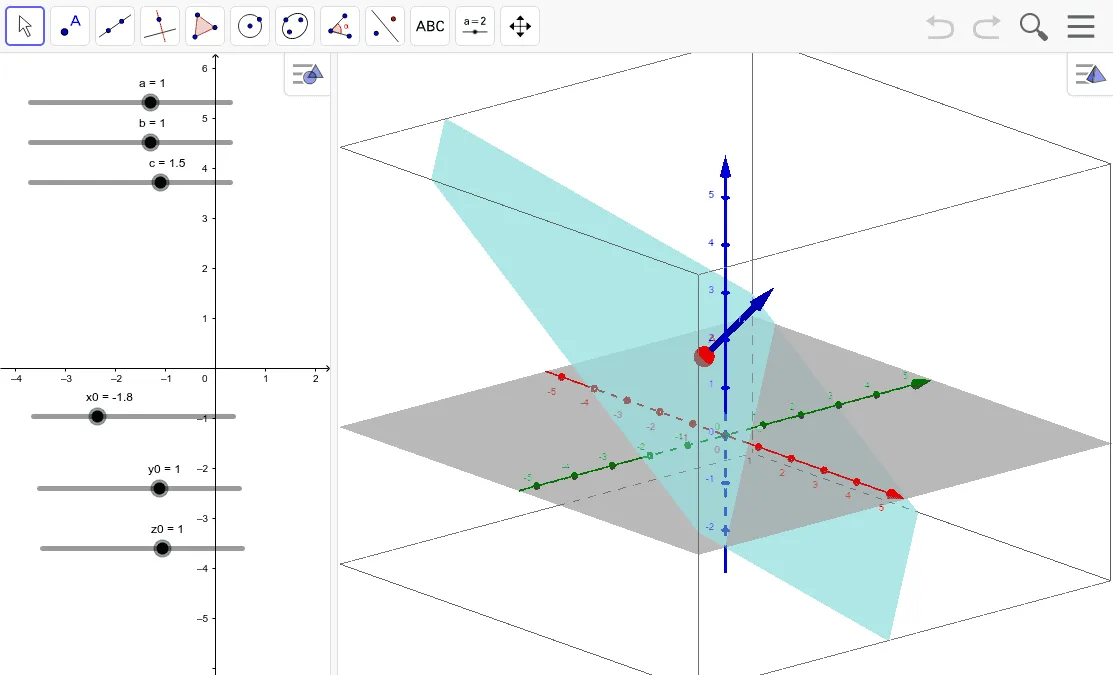
This GeoGebra example demonstrates how to construct and manipulate planes in 3D space, using vector relationships to reveal how plane position and orientation are determined by geometric data. It centers on core ideas such as 3D vectors, representing direction/normal information, and how geometry behaves under symmetry or similarity transformations (e.g., preserved structure and corresponding changes). From the construction summary, the build relies on the command Vector to create vector objects (a, b, c, x0, y0, z0, A, e, n). These vectors typically serve as displacement vectors from reference points (x0, y0, z0 and A) and as direction/normal vectors (e, n) that fully define the plane’s location and attitude in the coordinate space. Suitable for high school to early university learners studying solid geometry and analytic geometry, and for classroom use to visualize plane construction from vector data and to support intuition about spatial transformations.
GeoGebra Commands & Parameters
Vector((x0, y0, z0), (x0 + a, y0 + b, z0 + c)) → n
AI Drawing Prompt Reference
In a 3D coordinate system, mark a reference point (x0, y0, z0) and specify displacement parameters a, b, c along the coordinate directions. Construct a vector starting at (x0, y0, z0) and pointing to (x0 + a, y0 + b, z0 + c). Use this resulting vector as the direction/normal information that encodes how a plane is located and oriented in space. Focus on how the vector’s start and end are determined by the shared displacement values, serving as key geometric input for constructing the plane.
The prompt above was compiled from the original drawing commands and is for reference only.