
Place Value and Addition: Randomized Step-by-Step Digit Summation
Loading the math board and drawing, please wait…
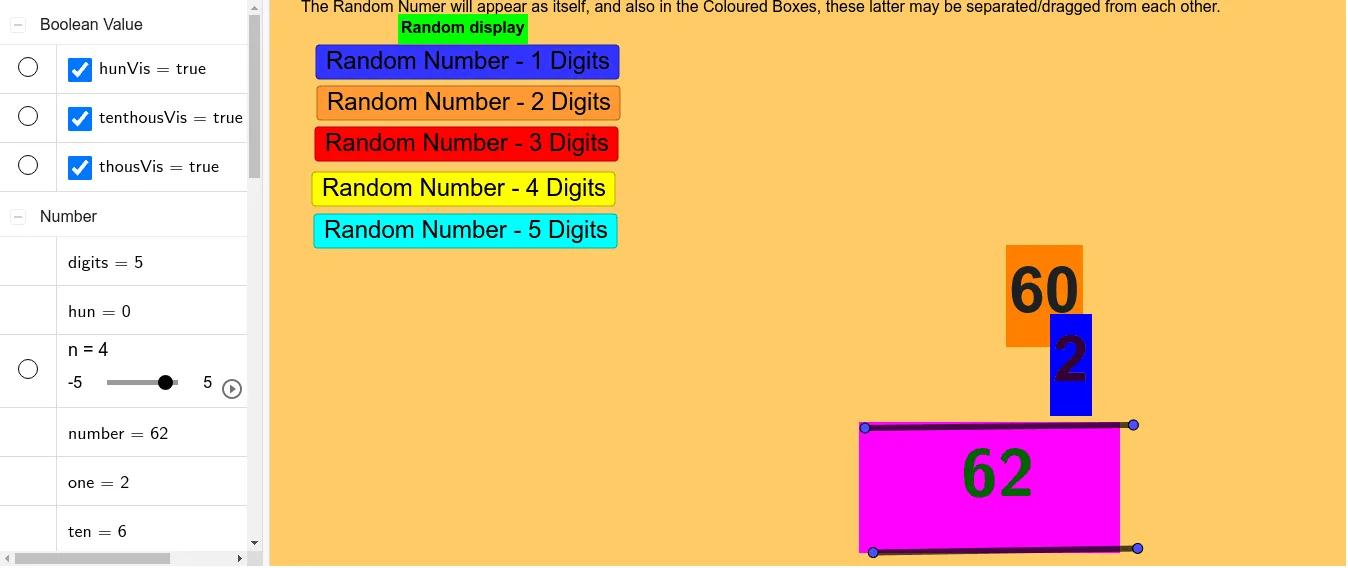
This GeoGebra example demonstrates how decimal place-value decomposition supports digit-wise addition. It generates random multi-digit natural numbers and visually breaks them into digits by place (ones, tens, hundreds, thousands, etc.), then guides the step-by-step addition to form the final result. The main mathematical ideas are base-10 place value, representing numbers via digit decomposition, and using integer division and remainder operations (Div and Mod) to extract digits. Construction-wise, the example uses Random to create integers in multiple ranges (e.g., 10–99, 100–999, 1000–9999, 10000–99999), applies Div and Mod to compute each digit (ones, tens, hun/thousands variants), and uses Segment and TableText to structure the visual layout and labels. It also employs Point and NumberDisplay for interactive visualization of the extracted digits and the computed outcome, with button-triggered updates (e.g., button1) and text objects (text1, text2) to present the addition process. Suitable for upper elementary through early secondary education, and for classroom activities focused on understanding place value and arithmetic addition.
GeoGebra Commands & Parameters
Random(10, 99) → numberDiv(number, 10000) → tenthousMod(number, 10) → oneSegment(B, C) → fSegment(D, E) → gTableText({{number, " "}}, "cv") → NumberDisplay
AI Drawing Prompt Reference
Create a classroom-style math diagram that visualizes place-value digit extraction. Start with a randomly generated two-digit natural number labeled as “number.” Display two key extracted digits/values derived from place-value decomposition: show “one” as the digit obtained from the ones place (remainder mod 10) and “tenthous” as the value obtained from the relevant higher place computed using division (Div by 10000). Include two line segments, with segment “f” determined by points B and C, and segment “g” determined by points D and E, to provide a visual structure for the step-by-step process. Present the original “number” in a table-text or structured text area labeled “cv” so it appears alongside the extracted components.
The prompt above was compiled from the original drawing commands and is for reference only.