
Perimeter of Irregular Shapes (P4 Q2)
Loading the math board and drawing, please wait…
In collections
P4 4M1 Perimeter 周界
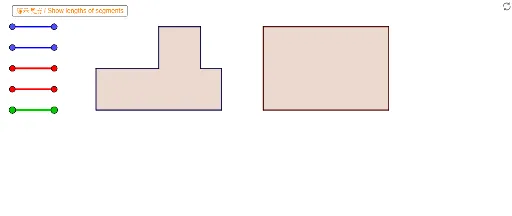
① This GeoGebra example presents an irregular composite shape made of multiple polygons, aimed at practicing perimeter calculation for Primary 4 (P4) students. ② The core mathematical concept is the definition and computation of perimeter, focusing on identifying the outer boundary of an irregular figure, summing the lengths of its sides, and understanding how polygon edges connect. ③ Construction details: Based on the construction summary, the example uses GeoGebra's 'Segment' and 'Polygon' commands, creating numerous polygon objects (e.g., VPoly1Ma through VPoly1Ff) and many auxiliary line segments (e.g., Blue01a, Red01a) color-coded in blue and red to visually separate different parts of the shape, facilitating measurement and observation. ④ This resource is ideal for upper primary students (ages 9-10) as a hands-on exercise to reinforce perimeter concepts, and can also serve as a teacher demonstration tool or for student self-study, allowing interactive exploration by dragging vertices or measuring side lengths to verify calculations.
GeoGebra Commands & Parameters
Segment(Blue01a, Blue01b) → Blue01Segment(Blue02a, Blue02b) → Blue02Segment(Blue03a, Blue03b) → Blue03Segment(Blue04a, Blue04b) → Blue04Segment(Red01a, Red01b) → Red01Segment(Red02a, Red02b) → Red02Segment(Red03a, Red03b) → Red03Segment(Red04a, Red04b) → Red04Segment(Blue05a, Blue05b) → Blue05Segment(Red05a, Red05b) → Red05Segment(Blue06a, Blue06b) → Blue06Segment(Red06a, Red06b) → Red06Segment(Blue07a, Blue07b) → Blue07Segment(Blue08a, Blue08b) → Blue08Segment(Blue09a, Blue09b) → Blue09Segment(Blue10a, Blue10b) → Blue10Segment(Blue11a, Blue11b) → Blue11Segment(Blue12a, Blue12b) → Blue12Segment(Red07a, Red07b) → Red07Segment(Red08a, Red08b) → Red08Segment(Red09a, Red09b) → Red09Segment(Red10a, Red10b) → Red10Segment(Red11a, Red11b) → Red11Segment(Red12a, Red12b) → Red12Segment(Green01a, Green01b) → Green01Segment(Green02a, Green02b) → Green02Segment(Green03a, Green03b) → Green03Segment(Green04a, Green04b) → Green04Segment(Green05a, Green05b) → Green05Segment(Green06a, Green06b) → Green06Segment(Green07a, Green07b) → Green07Segment(Green08a, Green08b) → Green08Segment(Green09a, Green09b) → Green09Segment(Green10a, Green10b) → Green10Segment(Green11a, Green11b) → Green11Segment(Green12a, Green12b) → Green12Segment(Green13a, Green13b) → Green13Segment(Green14a, Green14b) → Green14Polygon(VPoly2Fa, VPoly2Fb, VPoly2Fc, VPoly2Fd) → Poly2F, SPoly2Fa, SPoly2Fb, SPoly2Fc, SPoly2FdPolygon(VPoly2Ma, VPoly2Mb, VPoly2Mc, VPoly2Md) → Poly2M, SPoly2Ma, SPoly2Mb, SPoly2Mc, SPoly2MdPolygon(VPoly1Fa, VPoly1Fb, VPoly1Fc, VPoly1Fd, VPoly1Fe, VPoly1Ff, VPoly1Fg, VPoly1Fh) → Poly1F, SPoly1Fa, SPoly1Fb, SPoly1Fc, SPoly1Fd, SPoly1Fe, SPoly1Ff, SPoly1Fg, SPoly1FhPolygon(VPoly1Ma, VPoly1Mb, VPoly1Mc, VPoly1Md, VPoly1Me, VPoly1Mf, VPoly1Mg, VPoly1Mh) → Poly1M, SPoly1Ma, SPoly1Mb, SPoly1Mc, SPoly1Md, SPoly1Me, SPoly1Mf, SPoly1Mg, SPoly1MhSegment(A, B) → L8Segment(C, D) → L1Segment(E, F) → L2Segment(G, H) → L4Segment(I, J) → L5Segment(K, L) → L6Segment(M, N) → L3Segment(O, P) → L7Segment(Q, R) → fSegment(S, T) → R2Segment(U, V) → R3Segment(W, Z) → R4