
Pattern Blocks Geometry Demo
Loading the math board and drawing, please wait…
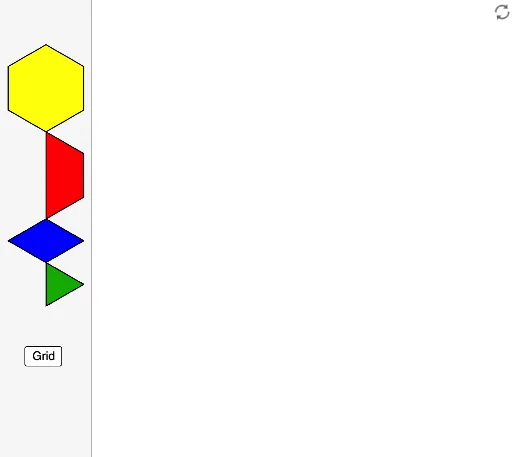
This example demonstrates how to assemble complex patterns using hexagons and other shapes, showcasing relationships in angles and areas. It involves core math concepts like angles, area, equilateral triangles, fractions, geometry, polygons, and symmetry. GeoGebra commands like Hexagon and tools such as Tool2, Tool4, and Tool3 are used for construction. Suitable for middle school and above for learning geometric constructions and spatial reasoning.
GeoGebra Commands & Parameters
Hexagon(A) → f, g, h, i, j, k, poly1, BHexagon(C) → l, m, n, p, q, r, poly2, DHexagon(E) → s, t, a, b, c, d, poly3, FHexagon(G) → e, f_1, g_1, h_1, i_1, j_1, poly4, HTool2(I) → poly5, k_1, l_1, m_1, n_1, JTool2(K) → poly6, p_1, q_1, r_1, s_1, LTool2(M) → poly7, t_1, a_1, b_1, c_1, NTool2(O) → poly8, d_1, e_1, f_2, g_2, PTool4(Q) → h_2, i_2, j_2, k_2, R, poly9Tool4(S) → l_2, m_2, n_2, p_2, T, poly10Tool4(U) → q_2, r_2, s_2, t_2, V, poly11Tool4(W) → a_2, b_2, c_2, d_2, Z, poly12Tool4(A_1) → e_2, f_3, g_3, h_3, B_1, poly13Tool4(C_1) → i_3, j_3, k_3, l_3, D_1, poly14Tool3(E_1) → m_3, n_3, p_3, F_1, poly15Tool3(G_1) → q_3, r_3, s_3, H_1, poly16Tool3(I_1) → t_3, a_3, b_3, J_1, poly17Tool3(K_1) → c_3, d_3, e_3, L_1, poly18Tool3(M_1) → f_4, g_4, h_4, N_1, poly19Tool3(O_1) → i_4, j_4, k_4, P_1, poly20Tool3(Q_1) → l_4, m_4, n_4, R_1, poly21Tool3(S_1) → p_4, q_4, r_4, T_1, poly22Tool3(U_1) → s_4, t_4, a_4, V_1, poly23Tool3(W_1) → b_4, c_4, d_4, Z_1, poly24Tool3(A_2) → e_4, f_5, g_5, B_2, poly25Tool3(C_2) → h_5, i_5, j_5, D_2, poly26Hexagon(A_3) → f_6, g_6, h_6, i_6, j_6, k_5, poly1_1, B_3Hexagon(C_3) → l_5, m_5, n_5, p_5, q_5, r_5, poly2_1, D_3Hexagon(E_2) → s_5, t_5, a_5, b_5, c_5, d_5, poly3_1, F_2Hexagon(G_2) → e_5, f_7, g_7, h_7, i_7, j_7, poly4_1, H_2Tool2(I_2) → poly5_1, k_6, l_6, m_6, n_6, J_2Tool2(K_2) → poly6_1, p_6, q_6, r_6, s_6, L_2Tool2(M_2) → poly7_1, t_6, a_6, b_6, c_6, N_2Tool2(O_2) → poly8_1, d_6, e_6, f_8, g_8, P_2Tool4(Q_2) → h_8, i_8, j_8, k_7, R_2, poly9_1Tool4(S_2) → l_7, m_7, n_7, p_7, T_2, poly10_1Tool4(U_2) → q_7, r_7, s_7, t_7, V_2, poly11_1Tool4(W_2) → a_7, b_7, c_7, d_7, Z_2, poly12_1Tool4(A_4) → e_7, f_9, g_9, h_9, B_4, poly13_1Tool4(C_4) → i_9, j_9, k_8, l_8, D_4, poly14_1Tool3(E_3) → m_8, n_8, p_8, F_3, poly15_1Tool3(G_3) → q_8, r_8, s_8, H_3, poly16_1Tool3(I_3) → t_8, a_8, b_8, J_3, poly17_1Tool3(K_3) → c_8, d_8, e_8, L_3, poly18_1Tool3(M_3) → f_{10}, g_{10}, h_{10}, N_3, poly19_1Tool3(O_3) → i_{10}, j_{10}, k_9, P_3, poly20_1Tool3(Q_3) → l_9, m_9, n_9, R_3, poly21_1Tool3(S_3) → p_9, q_9, r_9, T_3, poly22_1Tool3(U_3) → s_9, t_9, a_9, V_3, poly23_1Tool3(W_3) → b_9, c_9, d_9, Z_3, poly24_1Tool3(A_5) → e_9, f_{11}, g_{11}, B_5, poly25_1Tool3(C_5) → h_{11}, i_{11}, j_{11}, D_5, poly26_1