
Peanut Jumping Over a Wall
Loading the math board and drawing, please wait…
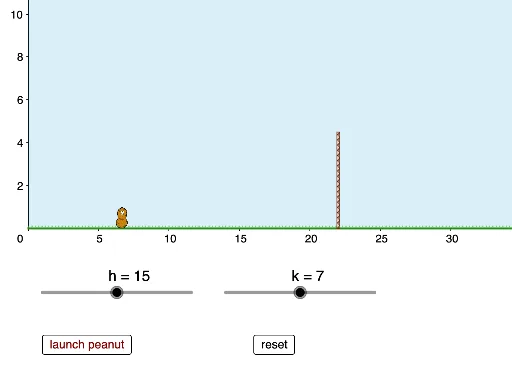
This example demonstrates a physics-based simulation of a peanut jumping over a wall by adjusting parameters. It involves core math concepts like quadratic functions, coordinate geometry, geometric construction, and optimization. Key GeoGebra commands used in construction include Intersect, CurveCartesian, If, Segment, Polygon, and Max. Suitable for high school students learning functions, geometry, and optimization, or for gamified mathematics teaching.
GeoGebra Commands & Parameters
Intersect(f, xAxis) → C, DCurveCartesian(t, (-0.1 * (t - h)^(2)) + k, t, x(C), x(D)) → bIf(y(N) ≤ y(B), (n, q(n)), (n, p(n))) → ESegment(G, I) → iPolygon(J, K, M, L) → poly1, j, k_1, m, lIf(y(N) ≤ y(B), x(N), x(D)) → wPolygon(L, M, K, J) → poly2, l_1, m_1, k_2, j_1Segment(O, P) → gMax(p, x(C), x(D)) → Q
AI Drawing Prompt Reference
Draw a physics simulation of a peanut jumping over a wall. Start by drawing a parabola to represent the peanut's jump, adjust the vertex to change the trajectory. Then draw a horizontal line to represent the wall. Use conditional statements to determine if the peanut has jumped over the wall and draw corresponding polygons when it does. Finally, connect key points with segments to show the peanut's jumping process.
The prompt above was compiled from the original drawing commands and is for reference only.