
Password Generator-B
Loading the math board and drawing, please wait…
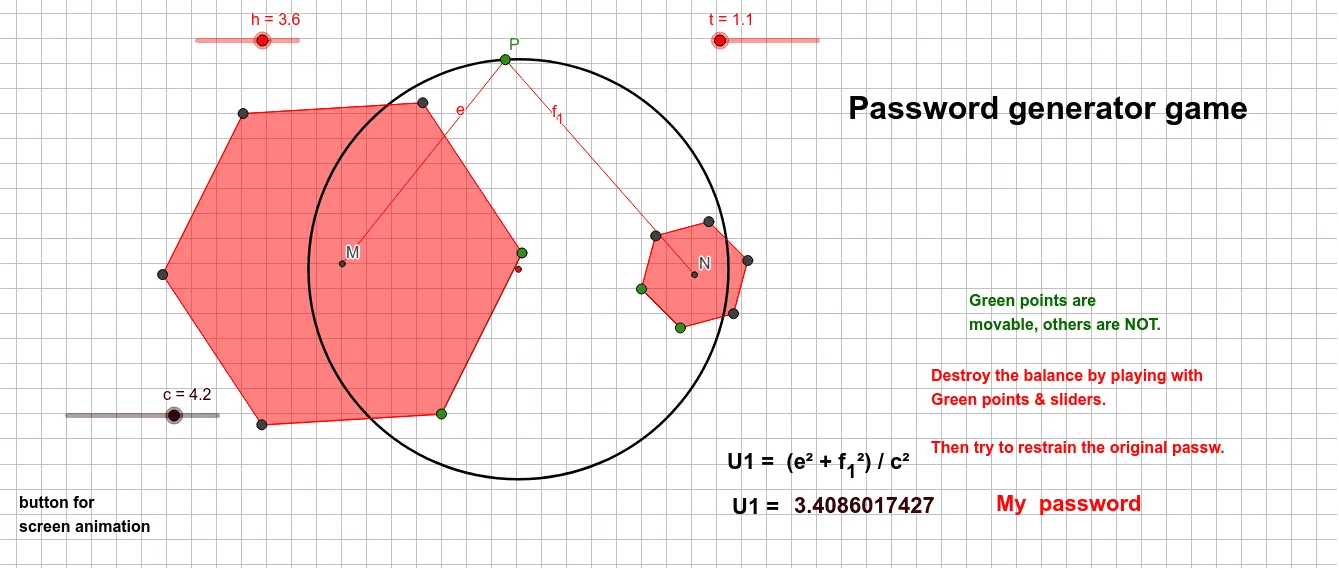
This example demonstrates the principle of a password generator. Key mathematical concepts include geometric transformations and polygons. Using GeoGebra commands such as Point, Segment, and Polygon, a dynamic password generator can be constructed. Suitable for geometry education in middle school and above.
GeoGebra Commands & Parameters
Point(Circle[B, h]) → CSegment(B, C) → fPoint(Circle[A, t]) → DSegment(A, D) → gPolygon(B, C, 6) → poly1, i, H, j, k, l, m, n, E, F, GPolygon(A, D, 6) → poly2, p, L, q, r, s, t_1, b, I, J, KCentroid(poly1) → MCentroid(poly2) → NBarycenter({M, N}, {1, 1}) → OCircle(O, c) → dPoint(d) → PSegment(P, M) → eSegment(P, N) → f_1
AI Drawing Prompt Reference
Draw a figure with two hexagons, one formed by points B and C, and the other by points A and D. Find the centroids M and N of these hexagons, and then find their barycenter O. Draw a circle with O as the center, and pick a point P on the circle. Draw two line segments from P to M and N.
The prompt above was compiled from the original drawing commands and is for reference only.