
Partition Line Segments
Loading the math board and drawing, please wait…
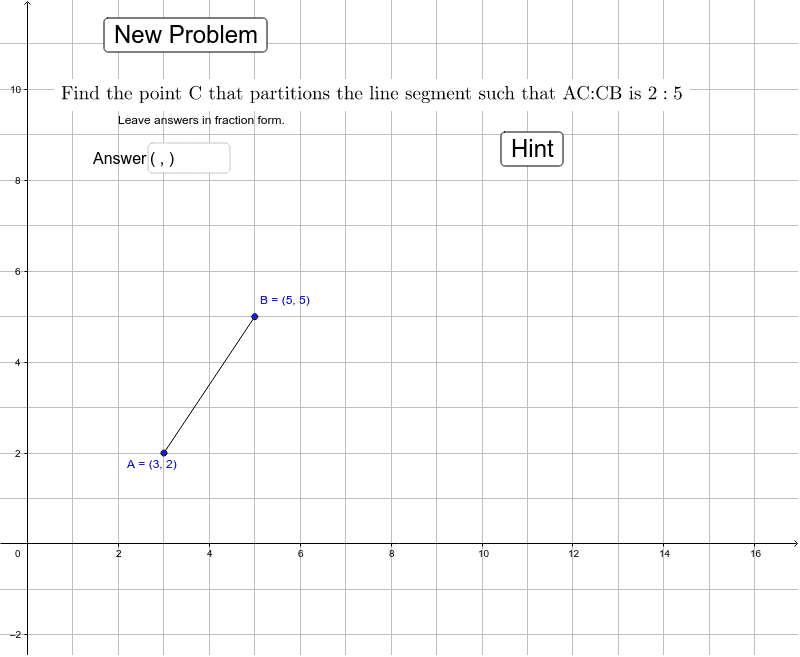
This example demonstrates how to find a point that partitions a line segment in a given ratio. It involves core mathematical concepts like line segments, ratios, and coordinate geometry. Construction highlights include using commands and objects such as Random, Segment, Textfield, Intersect, OrthogonalLine, and Distance in GeoGebra. Suitable for high school students practicing and understanding segment partitioning problems.
GeoGebra Commands & Parameters
Random(1, 3) → sRandom(3, 5) → cRandom(4, 6) → bRandom(4, 6) → oRandom(1, 3) → rRandom(1, 3) → nSegment(A, B) → aTextfield(text9) → inputBox1Intersect(e, f) → ESegment(B, E) → gSegment(E, A) → hOrthogonalLine(G, g) → iOrthogonalLine(F, h) → jSegment(G, C) → kSegment(F, C) → lDistance(F, C) → FC
AI Drawing Prompt Reference
Draw a line segment with two points dividing it into three parts. Pick a point outside the segment and connect it to both endpoints, creating two slanted lines. From each of the two dividing points, draw a perpendicular line to the opposite slanted line; these two perpendiculars intersect at a point. Finally, connect this intersection point to the outside point with two segments, and display the length of one of these segments.
The prompt above was compiled from the original drawing commands and is for reference only.