
Partition Line Segments Practice
Loading the math board and drawing, please wait…
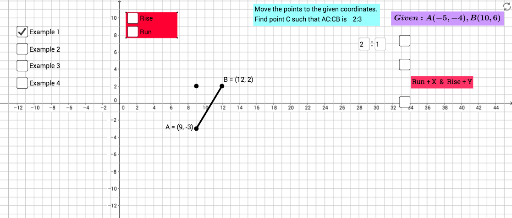
This example demonstrates how to partition a line segment and visualize the partition points, involving core math concepts like line segments, tangent functions, random variables, roots, and continuity. It uses commands such as Segment, Polygon, Textfield, FractionText, and Slider in GeoGebra for construction. Suitable for high school mathematics teaching or self-learning to understand the application of line segment partitioning and related mathematical concepts.
GeoGebra Commands & Parameters
Segment(A, I) → jSegment(I, B) → kSegment(A, B) → gPolygon(C, D, E, F) → poly1, c_1, d_1, e_1, f_1Textfield(w) → InputBox2Textfield(text5) → InputBox3Textfield(r) → InputBox1Textfield(r) → InputBox4FractionText(f) → text11FractionText(o) → text13FractionText(p) → text14FractionText(q) → text15FractionText(s) → text16
AI Drawing Prompt Reference
Draw a line segment and select two random points on it to partition the segment into three parts. Represent these parts as triangles and label their lengths. Add input boxes for parameters and display the calculation results as fractions. Finally, show the construction process of the entire figure.
The prompt above was compiled from the original drawing commands and is for reference only.