
Partial Derivatives: Dynamic Illustrator
Loading the math board and drawing, please wait…
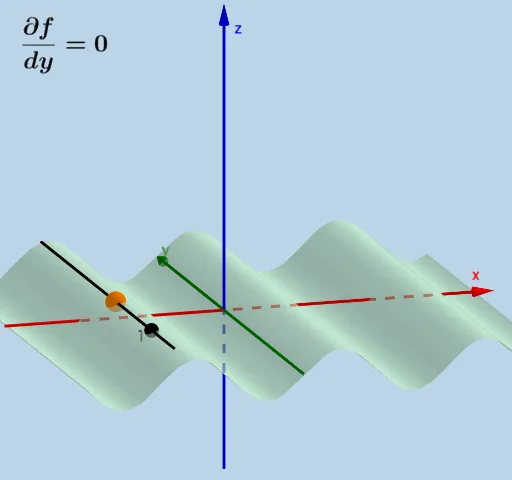
This example dynamically illustrates the concept of partial derivatives. It involves the core mathematical concept of partial derivatives, which are the derivatives of multivariable functions with respect to one variable. Using GeoGebra commands such as Plane, IntersectPath, Derivative, Textfield, etc., users can observe the changes in partial derivatives visually. Suitable for teaching multivariable calculus in university mathematics courses.
GeoGebra Commands & Parameters
Plane((x(P), 2, 300), (x(P), 1, 100), (x(P), 1, 200)) → dIntersectPath(d, f) → ePlane(P, (100, y(P), 100), (200, y(P), 200)) → gDerivative(f, y, 1) → kDerivative(f, x, 1) → lIntersectPath(g, f) → mIntersectPath(g, n) → oIntersectPath(d, n) → tTextfield(f) → InputBox1Point(IntersectPath[g, n]) → BSphere(B, 1) → a_1IntersectPath(b_1, a_1) → c_1Intersect(w, c_1) → C, DSphere(D, abs(j)) → e_1Line(D, (x(D), y(D), z(D) + 1)) → f_1Intersect(f_1, e_1) → E, FPolygon(B, D, F) → t1, f_2, b_2, d_2Polygon(B, D, E) → t2, e_2, b_3, d_3Segment(D, F) → g_1Segment(D, E) → h_1Segment(B, D) → i_1Point(t) → GLine(G, (x(G), y(G) + 1, z(G))) → j_1Sphere(G, 1) → k_1Intersect(j_1, k_1) → A, HSphere(H, abs(p)) → l_1Line(H, (x(H), y(H), z(H) + 1)) → m_1Intersect(m_1, l_1) → I, JPolygon(G, H, J) → t3, j_2, g_2, h_2Polygon(G, H, I) → t4, i_2, g_3, h_3Segment(H, J) → n_1Segment(H, I) → p_1Segment(H, G) → q_1