
Parallelogram Construction Demo
Loading the math board and drawing, please wait…
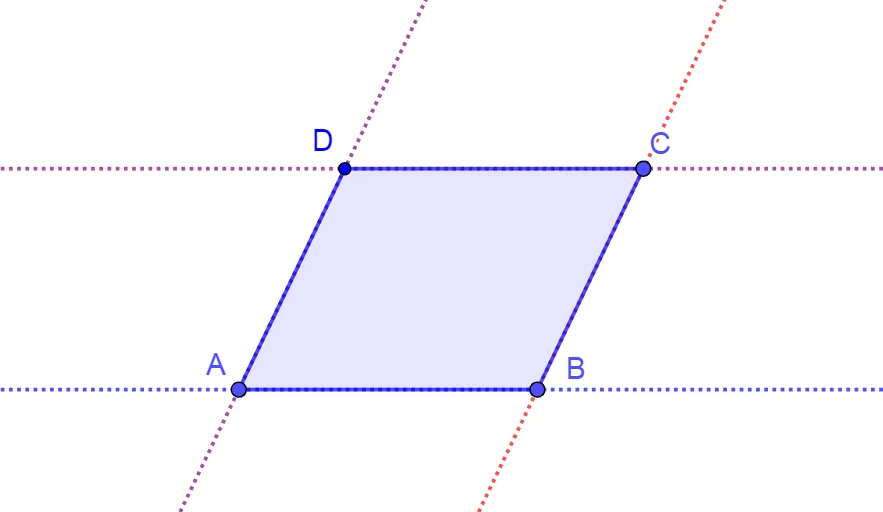
① This example demonstrates how to construct a parallelogram in GeoGebra using lines, intersections, and the polygon tool. ② Core mathematical concepts include the definition and properties of a parallelogram (opposite sides parallel and equal), criteria for parallel lines, the idea of vector translation, and the use of congruent triangles. ③ Construction highlights: create lines with the Line command through given points, find vertices with Intersect, then form the quadrilateral with Polygon; key objects are points A, B, C, D and auxiliary lines f, g, h, i. ④ Suitable for middle‑school geometry lessons on parallelograms, high‑school geometric construction practice, and as a starter tutorial for GeoGebra users learning basic construction commands.
GeoGebra Commands & Parameters
Line(A, B) → fLine(C, B) → gLine(C, f) → hLine(A, g) → iIntersect(h, i) → DPolygon(A, B, C, D) → q1, a, b, c, d
AI Drawing Prompt Reference
Create a quadrilateral from three given points A, B, and C using straight lines and intersections. Draw the line through A and B as an auxiliary line f, and draw the line through C and B as another auxiliary line g. Then construct a third auxiliary line h by drawing the line through C that meets line f, and construct a fourth auxiliary line i by drawing the line through A that meets line g. Define point D as the intersection of h and i. Finally, form the polygon by connecting A, B, C, and D in that order to obtain the parallelogram-like construction.
The prompt above was compiled from the original drawing commands and is for reference only.