
Parallelogram Construction: Building a Figure with Segments
Loading the math board and drawing, please wait…
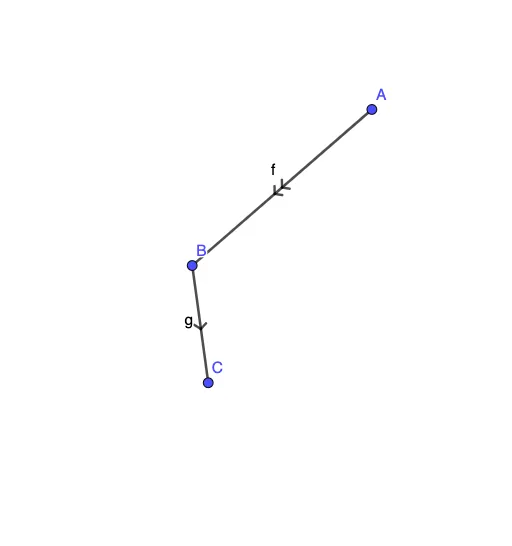
This example demonstrates how to construct a parallelogram in GeoGebra by building its key edges from segments, then using the resulting figure to understand its geometric structure. The main mathematical ideas are parallelogram basics (opposite sides are parallel and equal) along with intuitive connections to related topics such as continuity and similarity-style reasoning often used in geometry exploration. Construction-wise, the figure is assembled around the GeoGebra command “Segment” to create essential line segments involving objects A, B, f, C, and g. By treating segments as the skeleton of the drawing, learners can clearly see how the parallelogram’s form is determined from the chosen points/edges. Suitable for middle-school geometry instruction, guided construction practice, and introductory dynamic geometry lessons.
GeoGebra Commands & Parameters
Segment(A, B) → fSegment(B, C) → g
AI Drawing Prompt Reference
Draw a parallelogram by first creating a segment between point A and point B, then creating another segment between point B and point C. These segments will form the base of the parallelogram, ensuring that opposite sides are parallel and of equal length.
The prompt above was compiled from the original drawing commands and is for reference only.