
Parallelogram Area Calculation
Loading the math board and drawing, please wait…
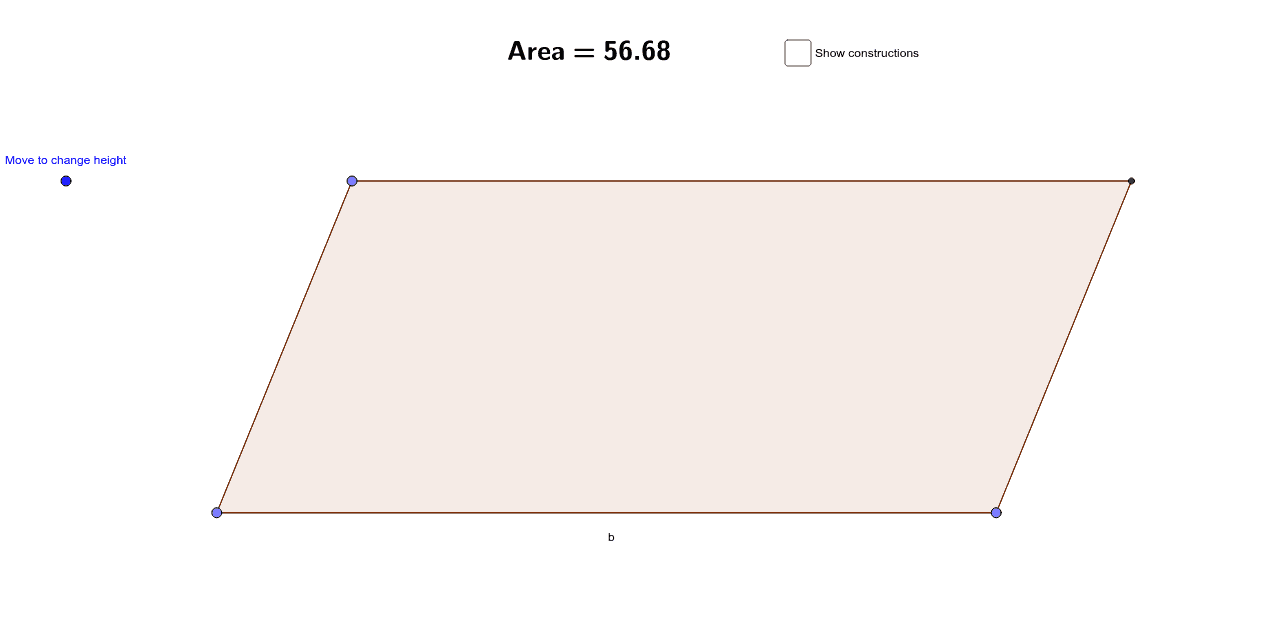
This example demonstrates calculating the area of a parallelogram using vector cross product and base times height methods. It involves core concepts like vectors, trigonometric functions, and geometric construction. Key GeoGebra commands used include Point, Segment, Vector, Polygon, Line, OrthogonalLine, Intersect, and Angle. Suitable for high school mathematics teaching and geometric construction learning.
GeoGebra Commands & Parameters
Point(a) → BPoint(a) → CSegment(B, C) → bVector(B, C) → uPoint(c) → DSegment(B, D) → dSegment(D, E) → eSegment(E, C) → fSegment(C, B) → gPolygon(B, D, E, C) → poly1, b_1, d_1, e_1, c_1Line(B, C) → h_1OrthogonalLine(E, h_1) → iOrthogonalLine(D, h_1) → jIntersect(h_1, i) → FIntersect(h_1, j) → GAngle(D, G, B) → αAngle(E, F, B) → βSegment(E, F) → hSegment(D, G) → l
AI Drawing Prompt Reference
Draw a parallelogram to calculate its area using vector cross product and base times height. Start by drawing two parallel line segments as the base. Then, from one endpoint of the base, draw two parallel line segments to form the other two sides of the parallelogram. Next, draw perpendicular lines from the other endpoint of the base to the parallel line segments, intersecting them at two points. Connect these intersection points to the endpoints of the base, forming two triangles. Measure the base and height of one triangle to calculate the area, and compare it with the result from the vector cross product.
The prompt above was compiled from the original drawing commands and is for reference only.