
Parallellogram Dimensions Demo
Loading the math board and drawing, please wait…
In collections
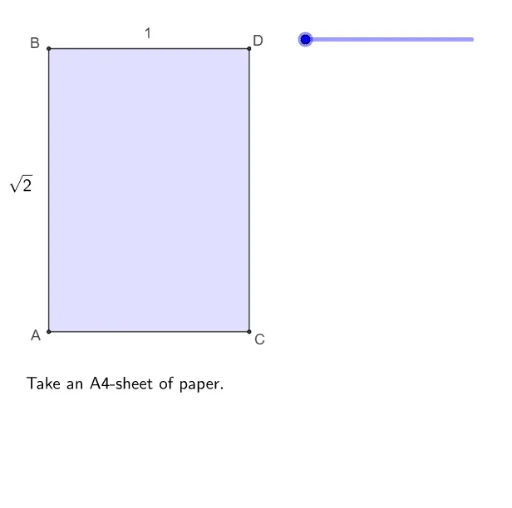
Folding paper, doing geometry figures
This example demonstrates the geometric construction and dimensional relationships of a parallelogram. It involves core mathematical concepts such as polygon construction, midpoints, circular arcs, line segments, rotations, intersections, orthogonal lines, and angles. The construction utilizes commands and objects like Polygon, Midpoint, CircleArc, Segment, Rotate, Intersect, OrthogonalLine, Line, Point, and Angle in GeoGebra. It is suitable for high school mathematics education, helping students understand the properties and construction methods of parallelograms.
GeoGebra Commands & Parameters
Polygon(A, C, D, B) → vierhoek1, a, c, d, bMidpoint(B, D) → BDMidpoint(A, C) → FMidpoint(B, E) → GCircleArc(B, DD, D) → eSegment(B, E) → fPolygon(B, A, C, E) → vierhoek2, b_1, a_1, c_1, e_1Polygon(B, E, D) → driehoek1, d_1, b_2, e_2Rotate(B, (((-(s - 1)) * 180))°, e_1) → B'Rotate(E, (((-(s - 1)) * 180))°, e_1) → E'Rotate(D, (((-(s - 1)) * 180))°, e_1) → D'Polygon(B', E', D') → driehoek1', d', b', e'Polygon(DD, E, B) → driehoek2, b_3, dd, e_3Segment(G, F) → gPolygon(G, F, C, E) → vierhoek3, g_1, f_1, c_2, e_4Polygon(B, A, F, G) → vierhoek4, b_4, a_2, f_2, g_2Rotate(G, (((-(s - 3)) * 180))°, f_2) → G'Rotate(F, (((-(s - 3)) * 180))°, f_2) → F'Rotate(C, (((-(s - 3)) * 180))°, f_2) → C'Rotate(E, (((-(s - 3)) * 180))°, f_2) → E'_1Polygon(G', F', C', E'_1) → vierhoek3', g', f', c', e'_1Polygon(A, F, G, DD) → vierhoek5, a_3, f_3, g_3, dd_1Segment(FE, F) → iPolygon(FE, A, F) → driehoek3, f_4, fe, a_4Rotate(FE, (((-(s - 5)) * 180))°, i) → FE'Rotate(A, (((-(s - 5)) * 180))°, i) → A'Rotate(F, (((-(s - 5)) * 180))°, i) → F'_1Polygon(FE', A', F'_1) → driehoek3', f'_1, fe', a'Polygon(B, FE, F, G) → vierhoek6, b_5, fe_1, f_5, g_4Intersect(g_3, i) → HOrthogonalLine(H, g', xOyPlane) → jLine(BD, F) → nPoint(n) → KCircleArc(K, C, A) → pPolygon(G, H, F) → driehoek4, f_6, g_5, h_1Intersect(f_6, Line[FE, GG]) → JOrthogonalLine(H, b) → kIntersect(f_5, k) → IPolygon(G, H, I) → driehoek5, i_1, g_6, h_2Polygon(FE, F, L) → driehoek6, l, fe_2, f_7Intersect(f_6, f_7) → MSegment(G, M) → mSegment(H, M) → qSegment(B, D) → rAngle(A, B, E) → αAngle(G, F, FE) → βSegment(D, C) → tSegment(A, C) → j_1Segment(A, FE) → k_1Segment(G, BD) → l_1Segment(G, BD) → m_1Segment(G, E) → n_1CircleArc(F, FA, A) → h
AI Drawing Prompt Reference
Draw a parallelogram with points A, B, C, D, and E. First, draw quadrilateral ABCD. Then, find the midpoints F and G of BD and AC, respectively. Next, draw triangles BDE and BEC. Use rotation to generate new triangles and quadrilaterals. Finally, draw the diagonals of the parallelogram and related angles and line segments.
The prompt above was compiled from the original drawing commands and is for reference only.