
P3 Making Triangles 1 (Grid)
Loading the math board and drawing, please wait…
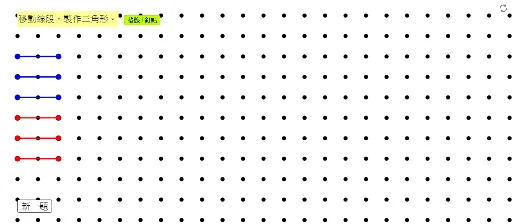
① This example demonstrates how to construct triangles on a grid by connecting points, with interactive buttons and instruction text to help students intuitively understand the composition of a triangle. ② Core math concepts include the definition of a triangle, the correspondence between vertices and sides, and locating points using grid coordinates. ③ Construction highlights: uses GeoGebra's Segment command to draw segments (e.g., SegBlue1, SegRed1), Sequence to generate point lists (ListDots), and buttons (buttonNewQ, buttonDotGrid) to control new problems and grid visibility; objects include Blue/Red point sets and segments, as well as dependent points. ④ Suitable for upper elementary or lower middle school geometry introduction, also useful for math activity classes to reinforce basic properties of triangles through hands-on manipulation.
GeoGebra Commands & Parameters
Segment(Blue1a, Blue1b) → SegBlue1Segment(Blue2a, Blue2b) → SegBlue2Sequence(Sequence[(s, t), s, 0, 25], t, -5, 13) → ListDotsSegment(Blue3a, Blue3b) → SegBlue3Segment(Red1a, Red1b) → SegRed1Segment(Red2a, Red2b) → SegRed2Segment(Red3a, Red3b) → SegRed3