
Overlap of Two Symmetric Circles
Loading the math board and drawing, please wait…
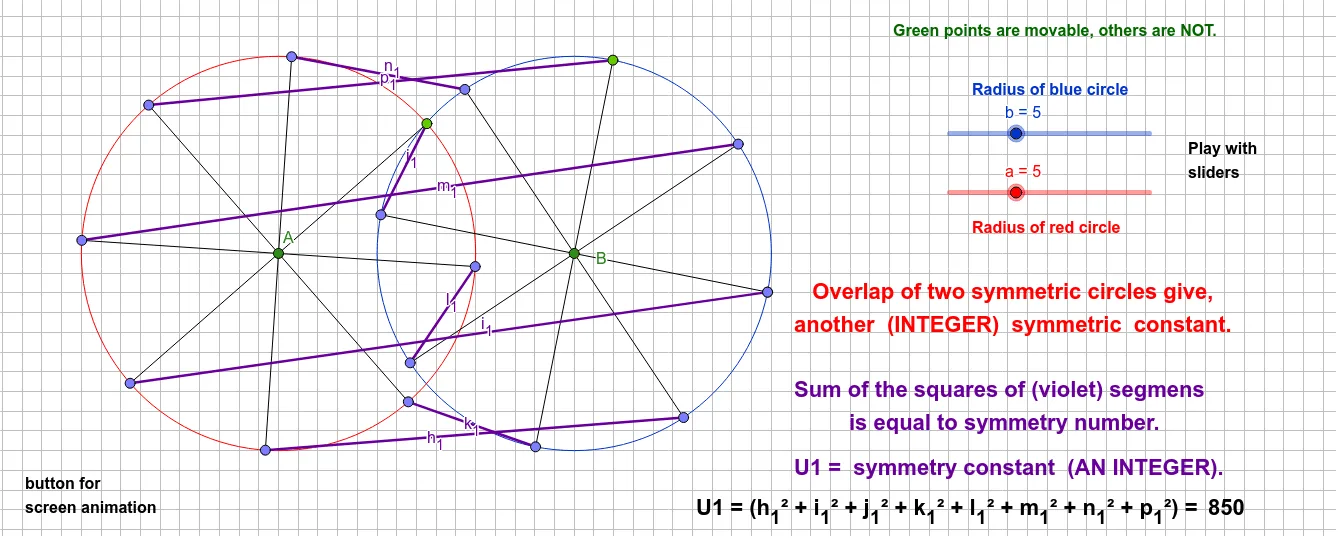
This example demonstrates the overlapping part of two symmetric circles. It involves key mathematical concepts such as circles, symmetry, and geometric transformations. Using GeoGebra commands like Circle, Rotate, and Segment, you can dynamically observe and understand the changes in the overlapping area of the circles. Suitable for middle school and above students and teachers.
GeoGebra Commands & Parameters
Circle(B, b) → dPoint(d) → GRotate(G, 45°, B) → G'Rotate(G', 45°, B) → G''Rotate(G'', 45°, B) → G'''Rotate(G''', 45°, B) → IRotate(I, 45°, B) → I'Rotate(I', 45°, B) → I''Rotate(I'', 45°, B) → I'''Circle(A, a) → cPoint(c) → FRotate(F, 45°, A) → F'Rotate(F', 45°, A) → F''Rotate(F'', 45°, A) → F'''Rotate(F''', 45°, A) → HRotate(H, 45°, A) → H'Rotate(H', 45°, A) → H''Rotate(H'', 45°, A) → H'''Segment(A, F) → gAngle(F, A, F') → αSegment(A, F') → iAngle(F', A, F'') → βSegment(A, F'') → jAngle(F'', A, F''') → γSegment(A, F''') → kAngle(F''', A, H) → δSegment(A, H) → lAngle(H, A, H') → εSegment(A, H') → mAngle(H', A, H'') → ζSegment(A, H'') → nAngle(H'', A, H''') → ηSegment(A, H''') → pSegment(B, G) → hAngle(G, B, G') → θSegment(B, G') → qAngle(G', B, G'') → ιSegment(B, G'') → rAngle(G'', B, G''') → κSegment(B, G''') → sAngle(G''', B, I) → λSegment(B, I) → tAngle(I, B, I') → μSegment(B, I') → eAngle(I', B, I'') → νSegment(B, I'') → f_1Rotate(I', 45°, B) → I''_1Angle(I', B, I''_1) → ξAngle(I'', B, I''') → οSegment(B, I''') → g_1Segment(I', H') → h_1Segment(I'', H) → i_1Segment(I''', F''') → j_1Segment(H'', I) → k_1Segment(H''', G''') → l_1Segment(F, G'') → m_1Segment(F', G') → n_1Segment(G, F'') → p_1
AI Drawing Prompt Reference
Draw two symmetric circles with equal radii, centered at two points on a horizontal line. From each center, generate eight equally spaced points on the circle at 45-degree intervals, and connect each center to its corresponding points with straight segments, creating eight radial lines per circle. Mark the 45-degree angles between adjacent segments at each center. Position the circles symmetrically so their overlapping region is visible, highlighting the symmetric geometric pattern.
The prompt above was compiled from the original drawing commands and is for reference only.