
Orthocenter Study
Loading the math board and drawing, please wait…
In collections
Dynamic Geometry Study Tasks
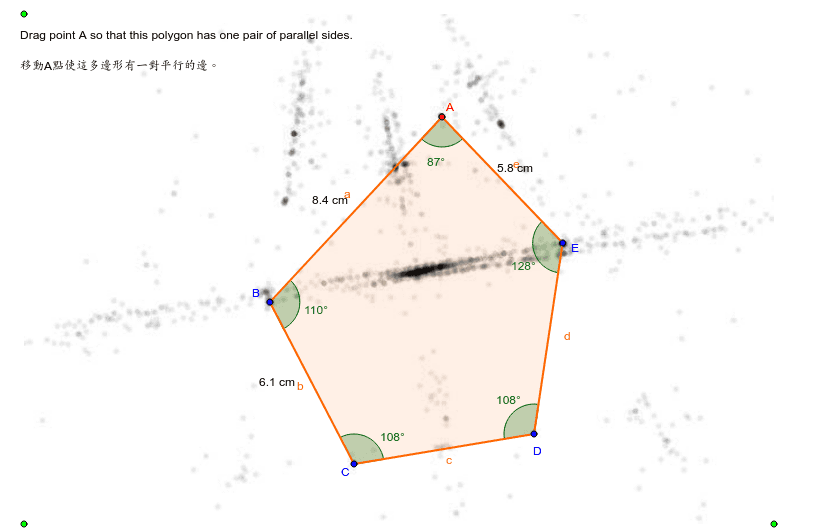
This example demonstrates the construction of the orthocenter of a triangle using methods such as rotation, ray, point, and polygon. Key mathematical concepts include angles, complex numbers, subtraction, and interest calculation. Using GeoGebra commands like Rotate, Ray, Point, and Polygon, the process of geometric construction is clearly illustrated. Suitable for high school mathematics education and learning.
GeoGebra Commands & Parameters
Rotate(C, 252*°, D) → GRay(D, G) → gRotate(D, 108*°, C) → FRay(C, F) → fPoint(f) → BPoint(g) → EPolygon(A, B, C, D, E) → P, a, b, c, d, eAngle(P) → α, β, γ, δ, εDistance(A, B) → var6Distance(A, E) → var7Midpoint(A, B) → HMidpoint(E, A) → IMidpoint(B, C) → J
AI Drawing Prompt Reference
Draw a triangle ABC, then rotate point C around point D by 252° to get point G, and rotate point C around point D by 108° to get point F. Draw a ray from D through G and another ray from C through F, and let these rays intersect the sides of triangle ABC at points B and E, respectively. Finally, draw a pentagon ABCEP and label the angles and side lengths of triangle ABC.
The prompt above was compiled from the original drawing commands and is for reference only.