
Opposite Points
Loading the math board and drawing, please wait…
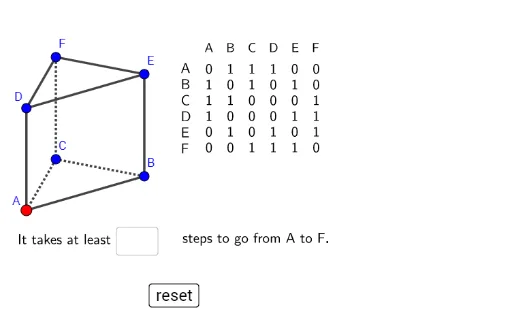
This example demonstrates how to construct opposite points and related geometric figures in GeoGebra. Key math concepts include vectors, points, polygons, and geometric transformations. Construction highlights involve commands like Polygon, Segment, Vector, Point, TableText, If, Textfield, and PolyLine. Suitable for high school mathematics education, illustrating basic vector operations and geometric transformation techniques.
GeoGebra Commands & Parameters
ConstructionStep() → stapPolygon(A, B, C) → driehoek1, c, a, bPolygon(D, E, F) → driehoek2, f, d, eSegment(D, A) → gSegment(F, C) → hSegment(E, B) → iPolygon(G, H, 3) → veelhoek1, j, k, l, IPolygon(J, K, 3) → veelhoek2, m, n_1, p, LVector(A, J) → uVector(B, K) → vVector(C, L) → wVector(D, G) → qVector(E, H) → rVector(F, I) → tPoint(ribben1) → PTableText({{"A"}, {"B"}, {"C"}, {"D"}, {"E"}, {"F"}}) → tekst3TableText({{"A", "B", "C", "D", "E", "F"}}) → tekst5If(n ≟ 1, "", tekst7) → tekstnTextfield(leeg1) → Invulvak1Textfield(leeg2) → Invulvak2PolyLine(P, N, O) → f_1Point(f_1) → QPolyLine(Q, R, O) → g_1TableText({rijA, rijB, rijC, rijD, rijE, rijF}) → tekst12
AI Drawing Prompt Reference
Draw two triangles and connect their vertices to form a quadrilateral. Then, draw vectors from each triangle's vertices and translate them in the opposite direction to the diagonals, creating new quadrilaterals. Label all vertices and vectors, and add text to explain the geometric relationships.
The prompt above was compiled from the original drawing commands and is for reference only.