
Open Middle Multi-Step Equations: Algebra Meets Visual Clues
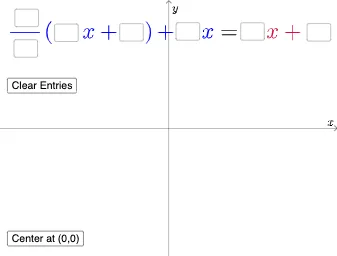
Loading the math board and drawing, please wait…
This example demonstrates an Open Middle style investigation for multi-step equations: students complete key algebraic steps from partially specified information, and the resulting solution can be checked or compared through visual cues. It centers on solving multi-step linear equations via equivalent transformations, as well as using statistical ideas (e.g., Mode) and geometric midline/central-line reasoning to support agreement on “middle” answers across different solution paths. Construction and interaction are implemented with GeoGebra commands such as Textfield for parameter entry and dynamic labels, Intersect to compute constraint points from geometric elements, SurdText to display radical expressions cleanly, Mode to determine the most frequent outcome among candidates, and If for conditional logic to update what is shown based on the current inputs. Key objects include multiple parameters (a, b, c, d, e, f, g, etc.), numerous intersection/derived points (i1, i2, i3, …), and several text displays (text1, text2, text3, i9, …). Suitable for secondary algebra instruction, differentiated classroom exploration, and interactive practice where multiple reasoning routes can be aligned and assessed.
GeoGebra Commands & Parameters
Textfield(a) → i1Textfield(b) → i2_{1}Textfield(c) → i3_{1}Textfield(d) → i4_{1}Textfield(e) → i5_{1}Textfield(f) → i6Textfield(g) → i7Intersect(h, p, 1) → i8SurdText(x(i8)) → text2SurdText(y(i8)) → text3Mode(l1) → l2If(Length[l2] ≟ 0, "No digits repeat.", "You have repeated digits.") → i5
AI Drawing Prompt Reference
Build an interactive algebra-and-geometry visualization driven by multiple editable parameters. Provide text input fields for several values (like a, b, c, d, e, f, g), then use a geometric construction that computes a key intersection point from two given geometric quantities, such that the intersection’s coordinates are displayed as separate clean radical-form text. Gather a set of candidate digit outcomes and determine which candidate occurs most frequently; show this “mode” value in a text element. Finally, update a short feedback message conditionally based on whether that mode-related quantity has zero length, outputting either a “no digits repeat” note or a “you have repeated digits” note. The scene should combine parameter inputs, the derived intersection point, coordinate text readouts, and frequency-based conditional messaging.
The prompt above was compiled from the original drawing commands and is for reference only.