
ONION: Parametric Surface Visualization of an “Onion-Like” Shape
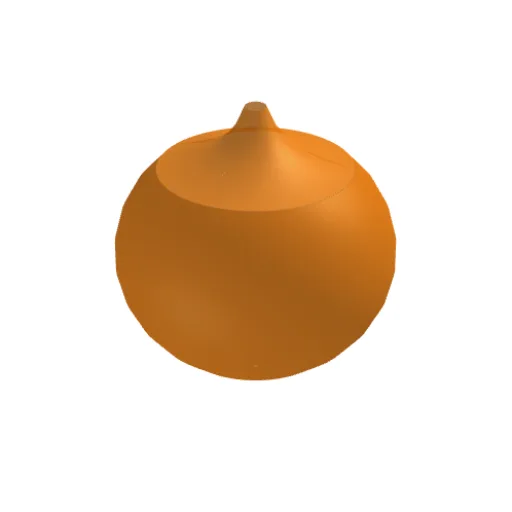
Loading the math board and drawing, please wait…
This example demonstrates how to build and visualize a continuous parametric surface whose geometry resembles an “onion-like” layered 3D form. The key mathematical ideas include parametric surface representation, mapping parameters to 3D coordinates, and using angular parameters (with trigonometric functions) to generate a structured spatial shape; the construction is typically linked to quadratic or radial/ellipsoidal-style geometry. From the construction summary, the figure is created with GeoGebra’s Surface command to form the surface object s, using parameter objects ρ, θ, ϕ and shape/control parameters a, b. Here, ρ acts as a radial/layer parameter, while θ and ϕ serve as angular parameters that drive how points are placed in space; a and b control the shape scale or deformation. Suitable for high school advanced geometry, early university calculus/analytic geometry topics on parametric curves and surfaces, and for classroom or self-study visualization of parameter-driven 3D models.
GeoGebra Commands & Parameters
Surface((sin(v) * cos(u)), (sin(v) * sin(u)), (ρ * cos(v)), v, π / 4, ϕ, u, 0, θ) → aSurface((1 / ((0.2 * u^(6))) * cos(v)), (1 / ((0.2 * u^(6))) * sin(v)), (0.8 * u) - 0.47, u, 1.386, 2, v, 0, (2 * π)) → b
AI Drawing Prompt Reference
Visualize a continuous parametric surface resembling an onion-like layered 3D form, where the geometry is controlled by adjusting parameters. Use trigonometric functions to map angular parameters to 3D coordinates, creating a structured spatial shape. The surface is constructed using radial/layer parameters and angular parameters, with additional parameters to control the scale or deformation of the shape. Start by forming a parametric surface based on these parameters, then modify them to achieve the layered onion structure.
The prompt above was compiled from the original drawing commands and is for reference only.