
Mirror-and-rotate construction of piecewise parametric curves
Loading the math board and drawing, please wait…
In collections
GeoGebra and Laser Cutting
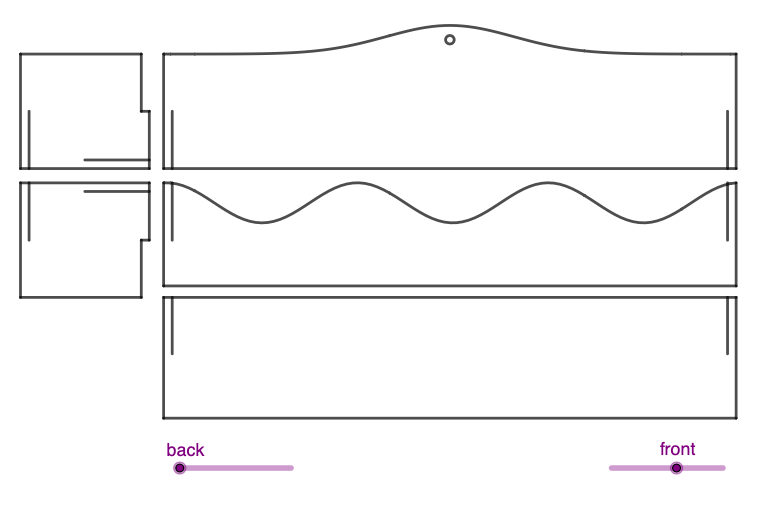
This example demonstrates how to construct and combine curves using piecewise-function ideas and parameter-geometry building blocks, highlighting the visual effect of symmetry obtained via mirroring and translation/rotation-style transformations. Key concepts include piecewise functions, parabola-related geometry, parametric curves/equations, and the systematic use of geometric transformations to generate matching curve segments. In the construction, GeoGebra commands such as Point, Segment, OrthogonalLine, Intersect, Midpoint, Mirror, Circle, Vector, and Translate are used, along with many dependent geometric objects (e.g., key points A–N, auxiliary lines/functions like f, g, h and their indexed variants, and mirrored/translated counterparts such as F', E', l'). Suitable for advanced secondary students and introductory university learners studying geometric construction, coordinate geometry, and transformation-driven curve modeling.
GeoGebra Commands & Parameters
Point(g_3) → APoint(g_3) → BPoint(xAxis) → CPoint(xAxis) → DSegment(A, C) → hSegment(C, D) → iSegment(D, B) → jOrthogonalLine(E, i) → kIntersect(g_3, k, (-9.7, 4.000081982889263)) → GMidpoint(G, E) → FSegment(F, E) → lMirror(F, yAxis) → F'Mirror(E, yAxis) → E'Segment(F', E') → l'Circle(H, 4.5) → cIntersect(c, xAxis, 1) → JOrthogonalLine(J, xAxis) → mOrthogonalLine(I, m) → nIntersect(m, n) → KSegment(I, H) → pSegment(H, J) → qSegment(K, J) → rSegment(K, I) → sMidpoint(I, H) → MSegment(L, N) → g_1Segment(N, M) → h_1Segment(K, L) → k_1Segment(K, J) → tSegment(J, H) → aCircle(H, 0.3) → dSegment(M, H) → bIntersect(d, b, 1) → OOrthogonalLine(O, b) → eIntersect(e, t) → PMidpoint(P, O) → QSegment(Q, O) → f_1Circle(J, 0.3) → c_1Intersect(c_1, a, 1) → SIntersect(a, xAxis) → TOrthogonalLine(S, a) → i_1Circle(S, l) → d_1Intersect(d_1, i_1, 2) → RSegment(S, R) → j_1OrthogonalLine(Ponto(EixoY), yAxis) → l_1Mirror(L, l_1) → L'Mirror(N, l_1) → N'Segment(L', N') → m_1Mirror(N, l_1) → N'_1Mirror(M, l_1) → M'Segment(N'_1, M') → n_1Mirror(K, l_1) → K'Mirror(L, l_1) → L'_1Segment(K', L'_1) → p_1Mirror(K, l_1) → K'_1Mirror(J, l_1) → J'Segment(K'_1, J') → t'Mirror(J, l_1) → J'_1Mirror(H, l_1) → H'Segment(J'_1, H') → a'Mirror(M, l_1) → M'_1Mirror(H, l_1) → H'_1Segment(M'_1, H'_1) → b'Mirror(Q, l_1) → Q'Mirror(O, l_1) → O'Segment(Q', O') → q_1Mirror(S, l_1) → S'Mirror(R, l_1) → R'Segment(S', R') → r_1Mirror(A, l_1) → A'Mirror(C, l_1) → C'Segment(A', C') → h'Mirror(C, l_1) → C'_1Mirror(D, l_1) → D'Segment(C'_1, D') → i'Mirror(D, l_1) → D'_1Mirror(B, l_1) → B'Segment(D'_1, B') → j'Mirror(F, l_1) → F'_1Mirror(E, l_1) → E'_1Segment(F'_1, E'_1) → l'_1Mirror(F', l_1) → F''Mirror(E', l_1) → E''Segment(F'', E'') → l''Intersect(s_1, h, (-10, 0.6967855704262355)) → UIntersect(h', i') → VVector(U, V) → uTranslate(s_1, u) → t_1Segment(A', B') → a_1Circle(B', 0.4) → e_1Intersect(e_1, j', 1) → WOrthogonalLine(W, j') → b_1Intersect(b_1, h') → ZSegment(Z, W) → g_2Segment(C', Z) → h_2Segment(D'_1, W) → i_2Segment(A_1, B_1) → j_2Circle(A_1, 4.22) → c_2OrthogonalLine(A_1, j_2) → k_2Intersect(c_2, k_2, 1) → C_1OrthogonalLine(C_1, k_2) → l_2OrthogonalLine(B_1, j_2) → m_2Intersect(l_2, m_2) → D_1Segment(A_1, C_1) → n_2Segment(B_1, D_1) → p_2Segment(C_1, D_1) → q_2Circle(A_1, 0.3) → d_2Intersect(d_2, j_2, 1) → E_1Circle(E_1, q_1 - 0.28) → e_2Intersect(e_2, k, 1) → F_1Segment(E_1, F_1) → r_2Mirror(E_1, yAxis) → G_1Mirror(F_1, yAxis) → H_1Segment(G_1, H_1) → s_2Intersect(g_3, yAxis, (0, 5)) → I_1Circle(I_1, 0.5) → t_2Intersect(t_2, yAxis) → J_1, K_1Circle(J_1, 0.15) → c_3
AI Drawing Prompt Reference
Draw a coordinate plane with a horizontal axis as reference. Construct a few key points on a given parameter-defined curve and connect them into short segments, then erect an auxiliary line through a chosen point that is perpendicular to one of those segments; find their intersection with the parameter curve and take a midpoint to form a segment intended for symmetry. Mirror that segment across the vertical axis and connect the mirrored endpoints to create matching curve/segment parts. Also draw a circle centered at the main point with radius 4.5, intersect it with the horizontal axis to get a secondary point, then draw perpendiculars to form further intersection points. Use smaller circles and perpendicular lines to generate additional intersection points, join them with segments and midpoints, and finally mirror the later constructed segment set across the vertical axis to produce a clear piecewise, symmetry-based composite curve.
The prompt above was compiled from the original drawing commands and is for reference only.