
Long Division with Feedback (v3)
Loading the math board and drawing, please wait…
In collections
Long Division Resources with Feedback
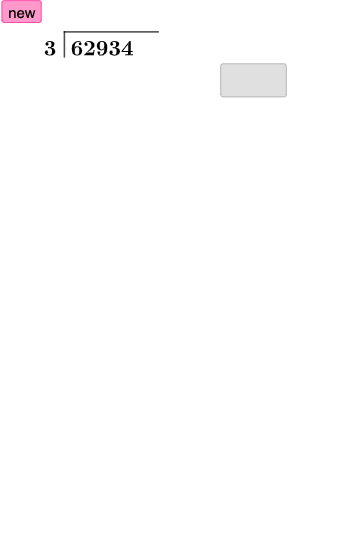
This GeoGebra example visualizes the “long division with feedback” process step by step, showing how quotient and remainder updates can be represented by geometric relations and repeated feedback. It highlights key arithmetic ideas (division, quotient and remainder, iterative update) and the logic of conditional feedback that determines the next step. Construction uses GeoGebra commands such as Random and RandomElement to generate parameters, Segment to create the main geometric segments, Translate to implement the feedback/shift of positions, Textfield to input and display intermediate values, and If to branch according to the current comparison state. The scene is organized with named objects (e.g., l1, A, B, C, D, E and multiple text labels) to mark each iteration’s results. Suitable for middle-school mathematics instruction, classroom demonstrations, and learners exploring algorithmic thinking through interactive dynamic geometry.
GeoGebra Commands & Parameters
Random(10001, 99998) → k_{1}RandomElement(l1) → a_{1}Segment(A, B) → f_{1}Segment(B, C) → g_{1}Textfield(c_{1}) → aTextfield(d_{1}) → bSegment(D, E) → h_{1}Textfield(e_{1}) → cIf(d_{1} ≟ (c_{1} * a_{1}), "☺", "☹") → text4If(true1, "☺", "☹") → text5Textfield(i_{1}) → dTextfield(j_{1}) → eIf(true2, "☺", "☹") → text6Translate(D, Vector[(0, -3)]) → D'Translate(E, Vector[(0, -3)]) → E'Segment(D', E') → h'Textfield(l_{1}) → fIf(true3, "☺", "☹") → text7Textfield(m_{1}) → gTextfield(n) → hIf(true4, "☺", "☹") → text8Translate(D', Vector[(0, -3)]) → D''Translate(E', Vector[(0, -3)]) → E''Segment(D'', E'') → h''Textfield(o) → iIf(true5, "☺", "☹") → text9Textfield(p) → jTextfield(q) → kTranslate(D'', Vector[(0, -3)]) → D'''Translate(E'', Vector[(0, -3)]) → E'''Segment(D''', E''') → h'''If(true6, "☺", "☹") → text10Textfield(r) → lIf(true7, "☺", "☹") → text11Textfield(s) → mIf(true8, "☺", "☹") → text13Translate(D''', Vector[(0, -3)]) → FTranslate(E''', Vector[(0, -3)]) → GSegment(F, G) → tTextfield(u) → InputBox1Textfield(w) → InputBox2If(true9, "☺", "☹") → text14Textfield(n_1) → InputBox3If(true10, "☺", "☹") → text15
AI Drawing Prompt Reference
Create a step-by-step geometry visualization for “long division with feedback.” Draw an initial main segment and a neighboring segment, then add additional segments formed by repeating a downward translation to represent later iterations. Place several text fields to display intermediate numeric values (related to quotient and remainder), and at key comparison locations show feedback symbols indicating whether a proposed product matches the divisor step. Repeat the translate-and-label pattern for multiple iterations, keeping the corresponding segments aligned across rows. Include a couple of input boxes for entering extra computation values, so the diagram reads like an interactive division process.
The prompt above was compiled from the original drawing commands and is for reference only.