
Number Sense Drill: Switch Between Fractions and Decimals (Terminating & Repeati
Loading the math board and drawing, please wait…
In collections
Bruchzahlen in endliche Dezimalzahlen umrechnen
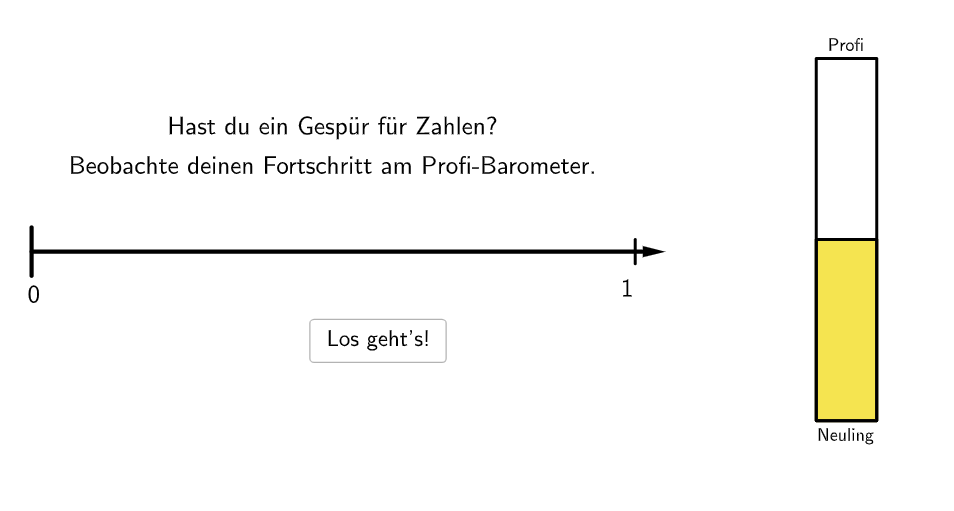
This GeoGebra example demonstrates how to translate the same rational number between fractional and decimal representations, focusing on matching a fraction with its terminating or repeating decimal form. Key math concepts include rational numbers, fraction notation, terminating decimals, repeating decimals, and the equivalence between different representations. Construction and interaction are implemented using commands from the build summary: Shuffle to randomize exercises, Vector/Segment/Join (and Polygon for layout graphics) to create interactive visual elements, Element and If to manage which objects appear under given conditions, and Text to present numbers and prompts. Additional objects and counters (e.g., countCorrect/correct with UI controls such as button1) support generating items, checking answers, and tracking correctness. Suitable for grades 5–6 as a classroom practice activity to reinforce foundational number-sense skills around fraction–decimal equivalence.
GeoGebra Commands & Parameters
Shuffle(1…Length[exercises]) → randomIndices, {10, 15, 57, 19, 32, 35, 23, 52, 54, 56, 13, 46, 3, 33, 21, 37, 16, 17, 44, 29, 48, 51, 53, 38, 1, 18, 28, 50, 11, 41, 25, 40, 45, 39, 4, 2, 36, 55, 6, 58, 20, 22, 34, 7, 43, 31, 14, 49, 26, 12, 42, 47, 24, 8, 5, 30, 27, 9}Zip(ParseToNumber[aa], aa, exercises) → exercisesNumsVector(A, B) → uSegment((0, a), (0, (-a))) → fSegment((10, b), (10, (-b))) → gJoin({{100}, Shuffle[Sequence[Random[5, 95], i, 1, 100]]}) → randomNosElement(exercisesNums, randomIndices(1 + Mod[count, 58])) → numPolygon((Max[0, (100 * num / 10) - 0.5], -0.3), (Min[10, (100 * num / 10) + 0.5], -0.3), (Min[10, (100 * num / 10) + 0.5], 0.3), (Max[0, (100 * num / 10) - 0.5], 0.3)) → q1, h, i, j, kSegment((0, 0), (0.1, 0)) → P0Segment((0.1, 0), (0.2, 0)) → P1Segment((0.2, 0), (0.3, 0)) → P2Segment((0.3, 0), (0.4, 0)) → P3Segment((0.4, 0), (0.5, 0)) → P4Segment((0.5, 0), (0.6, 0)) → P5Segment((0.6, 0), (0.7, 0)) → P6Segment((0.7, 0), (0.8, 0)) → P7Segment((0.8, 0), (0.9, 0)) → P8Segment((0.9, 0), (1, 0)) → P9Segment((1, 0), (1.1, 0)) → P10Segment((1.1, 0), (1.2, 0)) → P11Segment((1.2, 0), (1.3, 0)) → P12Segment((1.3, 0), (1.4, 0)) → P13Segment((1.4, 0), (1.5, 0)) → P14Segment((1.5, 0), (1.6, 0)) → P15Segment((1.6, 0), (1.7, 0)) → P16Segment((1.7, 0), (1.8, 0)) → P17Segment((1.8, 0), (1.9, 0)) → P18Segment((1.9, 0), (2, 0)) → P19Segment((2, 0), (2.1, 0)) → P20Segment((2.1, 0), (2.2, 0)) → P21Segment((2.2, 0), (2.3, 0)) → P22Segment((2.3, 0), (2.4, 0)) → P23Segment((2.4, 0), (2.5, 0)) → P24Segment((2.5, 0), (2.6, 0)) → P25Segment((2.6, 0), (2.7, 0)) → P26Segment((2.7, 0), (2.8, 0)) → P27Segment((2.8, 0), (2.9, 0)) → P28Segment((2.9, 0), (3, 0)) → P29Segment((3, 0), (3.1, 0)) → P30Segment((3.1, 0), (3.2, 0)) → P31Segment((3.2, 0), (3.3, 0)) → P32Segment((3.3, 0), (3.4, 0)) → P33Segment((3.4, 0), (3.5, 0)) → P34Segment((3.5, 0), (3.6, 0)) → P35Segment((3.6, 0), (3.7, 0)) → P36Segment((3.7, 0), (3.8, 0)) → P37Segment((3.8, 0), (3.9, 0)) → P38Segment((3.9, 0), (4, 0)) → P39Segment((4, 0), (4.1, 0)) → P40Segment((4.1, 0), (4.2, 0)) → P41Segment((4.2, 0), (4.3, 0)) → P42Segment((4.3, 0), (4.4, 0)) → P43Segment((4.4, 0), (4.5, 0)) → P44Segment((4.5, 0), (4.6, 0)) → P45Segment((4.6, 0), (4.7, 0)) → P46Segment((4.7, 0), (4.8, 0)) → P47Segment((4.9, 0), (5, 0)) → P49Segment((5, 0), (5.1, 0)) → P50Segment((5.1, 0), (5.2, 0)) → P51Segment((5.2, 0), (5.3, 0)) → P52Segment((5.3, 0), (5.4, 0)) → P53Segment((5.4, 0), (5.5, 0)) → P54Segment((5.5, 0), (5.6, 0)) → P55Segment((5.6, 0), (5.7, 0)) → P56Segment((5.7, 0), (5.8, 0)) → P57Segment((5.8, 0), (5.9, 0)) → P58Segment((5.9, 0), (6, 0)) → P59Segment((6, 0), (6.1, 0)) → P60Segment((6.1, 0), (6.2, 0)) → P61Segment((6.2, 0), (6.3, 0)) → P62Segment((6.3, 0), (6.4, 0)) → P63Segment((6.4, 0), (6.5, 0)) → P64Segment((6.5, 0), (6.6, 0)) → P65Segment((6.6, 0), (6.7, 0)) → P66Segment((6.7, 0), (6.8, 0)) → P67Segment((6.8, 0), (6.9, 0)) → P68Segment((6.9, 0), (7, 0)) → P69Segment((7, 0), (7.1, 0)) → P70Segment((7.1, 0), (7.2, 0)) → P71Segment((7.2, 0), (7.3, 0)) → P72Segment((7.3, 0), (7.4, 0)) → P73Segment((7.4, 0), (7.5, 0)) → P74Segment((7.5, 0), (7.6, 0)) → P75Segment((7.6, 0), (7.7, 0)) → P76Segment((7.7, 0), (7.8, 0)) → P77Segment((7.8, 0), (7.9, 0)) → P78Segment((7.9, 0), (8, 0)) → P79Segment((8, 0), (8.1, 0)) → P80Segment((8.1, 0), (8.2, 0)) → P81Segment((8.2, 0), (8.3, 0)) → P82Segment((8.3, 0), (8.4, 0)) → P83Segment((8.4, 0), (8.5, 0)) → P84Segment((8.5, 0), (8.6, 0)) → P85Segment((8.6, 0), (8.7, 0)) → P86Segment((8.7, 0), (8.8, 0)) → P87Segment((8.8, 0), (8.9, 0)) → P88Segment((8.9, 0), (9, 0)) → P89Segment((9, 0), (9.1, 0)) → P90Segment((9.1, 0), (9.2, 0)) → P91Segment((9.2, 0), (9.3, 0)) → P92Segment((9.3, 0), (9.4, 0)) → P93Segment((9.4, 0), (9.5, 0)) → P94Segment((9.5, 0), (9.6, 0)) → P95Segment((9.6, 0), (9.7, 0)) → P96Segment((9.7, 0), (9.8, 0)) → P97Segment((9.8, 0), (9.9, 0)) → P98Segment((9.9, 0), (10, 0)) → P99Segment((10, 0), (10.1, 0)) → P100Segment((4.8, 0), (4.9, 0)) → P48If(floor(barometer / 2) + 1 ≥ 10, 10, floor(barometer / 2) + 1) → colorIndexPolygon((-1, -8), (17, -8), (17, 5), (-1, 5)) → canvas, l, m, n, pText("\textsf{" + (If[Mod[1 + Mod[count, 58], 2] ≟ 1, (("\[" * numFracLatex) * "\]"), numDec]) + "}", ((100 * num / 10), If[Mod[1 + Mod[count, 58], 2] ≟ 1, -0.95, -0.75]), true, true, 0, 0) → text6Vector(((100 * num / 10), -0.4), ((100 * num / 10), 0)) → v
AI Drawing Prompt Reference
Draw an interactive number line from 0 to 4, divided into equal segments of 0.1 units, creating continuous tick marks. Above the line, display a random fraction (e.g., 3/4). Below the line, highlight the corresponding decimal position with a colored rectangle of width 0.1 units, aligned with the tick marks. Add vertical reference lines at both ends of the number line. Include a shuffle button to randomize exercises and a counter showing correct answers.
The prompt above was compiled from the original drawing commands and is for reference only.