
Multipurpose Ten Frame Randomizers
Loading the math board and drawing, please wait…
In collections
Elementary Math Resources
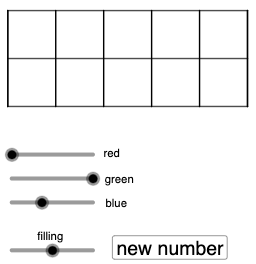
This example demonstrates how to construct a versatile ten-frame randomizer using GeoGebra for generating random numbers in mathematics education. It involves core math concepts like random number generation, decimal counting, and geometric constructions. Key GeoGebra commands/objects used include Polygon, Segment, Sequence, Circle, and Random for creating the randomizer. Suitable for elementary math teachers teaching addition, subtraction, number sense, and basic geometric shapes.
GeoGebra Commands & Parameters
Polygon((0, 0), (10, 0), (10, 4), (0, 4)) → q1, f, g_{1}, h, iSegment((0, 2), (10, 2)) → jSequence(Segment[(2 + i, 0), (2 + i, 4)], i, -2, 8, 2) → l1, {4, 4, 4, 4, 4, 4}Circle(G, 7 / 8) → rCircle(C, 7 / 8) → eCircle(B, 7 / 8) → dCircle(A, 7 / 8) → cCircle(F, 7 / 8) → qCircle(H, 7 / 8) → sCircle(I, 7 / 8) → tCircle(J, 7 / 8) → c_1Circle(D, 7 / 8) → kCircle(E, 7 / 8) → pRandom(0, 10) → a, 0
AI Drawing Prompt Reference
Draw a 10-frame grid with a large rectangle divided by a horizontal line and two vertical lines into 10 parts. Place a circle with a radius of 7/8 in each of the 10 parts. Draw a horizontal line in the middle of the bottom of the rectangle, 10 units long.
The prompt above was compiled from the original drawing commands and is for reference only.