
Multiplying Linear Polynomials with Area Model
Loading the math board and drawing, please wait…
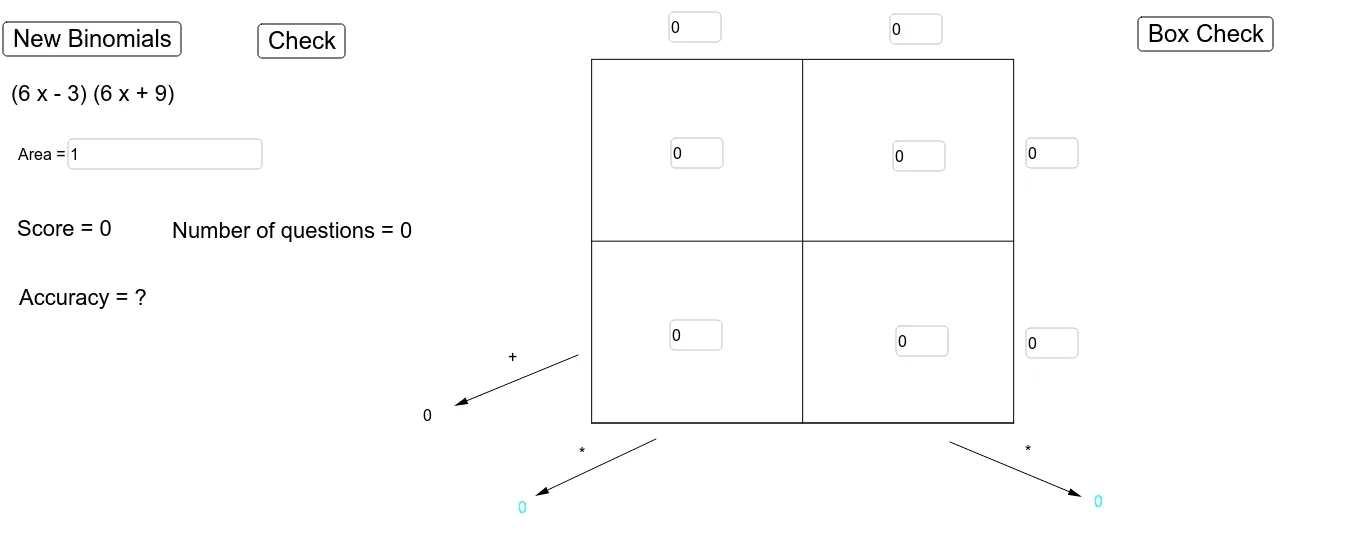
This example demonstrates the multiplication of linear polynomials using an area model for geometric interpretation. Key math concepts include polynomial multiplication distributive law, geometric area calculation, and algebraic expression simplification. Constructed with GeoGebra commands like Segment, RandomElement, Polynomial, Text, Textfield, and Vector, it provides an interactive way to visualize polynomial multiplication. Suitable for middle school students and above to learn polynomial multiplication and geometric intuition, or for math teaching demonstrations.
GeoGebra Commands & Parameters
Segment(G, H) → eSegment(E, F) → fRandomElement({-10, -9, -8, -7, -6, -5, -4, -3, -2, -1, 1, 2, 3, 4, 5, 6, 7, 8, 9, 10}) → aRandomElement({-10, -9, -8, -7, -6, -5, -4, -3, -2, -1, 1, 2, 3, 4, 5, 6, 7, 8, 9, 10}) → bRandomElement({-10, -9, -8, -7, -6, -5, -4, -3, -2, -1, 1, 2, 3, 4, 5, 6, 7, 8, 9, 10}) → cRandomElement({-10, -9, -8, -7, -6, -5, -4, -3, -2, -1, 1, 2, 3, 4, 5, 6, 7, 8, 9, 10}) → dSegment(A, B) → gSegment(A, D) → hSegment(D, C) → iSegment(C, B) → jSegment(A, B) → kPolynomial((l(x) * w(x))) → AreaText((l(x) * w(x))) → problemTextfield(ul) → InputBox1Textfield(ur) → InputBox2Textfield(bl) → InputBox3Textfield(br) → InputBox4Textfield(l1) → InputBox5Textfield(l2) → InputBox6Textfield(w1) → InputBox7Textfield(w2) → InputBox8Textfield(answer) → InputBox9Vector(I, J) → uVector(K, L) → vVector(M, N) → mText(Polynomial[(ul(x) * br(x))]) → bottomrightText(Polynomial[(ur(x) * bl(x))]) → bottomleftText(Polynomial[ur(x) + bl(x)]) → sumText(("Score = " * score)) → scorekeepText(("Number of questions = " * numberofquestions)) → numberofquestionskeepText(("Accuracy = " * accuracy)) → accuracykeep
AI Drawing Prompt Reference
Draw a geometric model to represent the multiplication of linear polynomials. First, draw line segments AB and AD, then draw DC and CB to form a rectangle. Randomly generate four integers a, b, c, and d as the lengths of line segments AB, AD, DC, and CB. Draw line segments EF and GH parallel to AB and AD. Construct two linear polynomials l(x) and w(x) using these integers, and calculate their product to get the area of the rectangle. Place input boxes at the four corners of the rectangle for entering polynomial coefficients and display the calculation result and score.
The prompt above was compiled from the original drawing commands and is for reference only.